Opal App Review: Is It Worth $99.99 a Year?
The free plan gets you further than you'd think. Here's what Pro actually adds, who it's worth it for, and what to use if $100 a year feels steep.
Opal is a polished, well-rated screen time app, and its paid plan is worth it if you want strong scheduled blocking on several devices and like a social, game-like layer on top. It is also expensive: $99.99 a year (€99.99) or $19.99 a month on the US App Store as of 19 November 2026. If you only use an iPhone and care more about custom rules and friction before each unlock than about leaderboards, an alternative like Lockty does that for $24.99 a year.
| Opal | Lockty | Brainrot | |
|---|---|---|---|
| Yearly price (US) | $99.99 | $24.99 | $19.99 to $59.99, depending on the offer |
| Monthly price (US) | $19.99 | $9.99 | varies by offer |
| Free plan | Yes, 3 rules | No, subscription | All features need a subscription |
| Platforms | iPhone, Android, Mac | iPhone and iPad | iPhone (others not checked) |
| Blocks apps and websites | Yes | Yes, plus an adult content filter | Yes |
| Can't-cancel mode | Deep Focus / Hard Mode (Pro) | Strict mode | Not listed |
| Pause before unlocking | Breaks: write your intention, set a timer | Breathing, typing, puzzles, goals and more | Mindful breaks |
| Goals that unlock apps | No | Yes (steps, sleep, reading, water...) | No |
| Social features | Leaderboards, shareable milestones | No | No |
| US App Store ratings | 4.7 from about 92K | Newer app | 4.5 from about 23K |
Prices checked on the US App Store on 19 November 2026. They change by country and by offer, so check the App Store in your region before you subscribe.
What Opal does well
Opal's App Store listing carries Apple's "Editors' Choice" badge. These are the parts that stand out, taken from its own App Store description and website.
Scheduled blocks that run themselves
Opal's core feature is blocking the apps and websites you pick at set times of day, on a weekly schedule. You can tie blocks to work hours, sleep and routines in its calendar view, so you don't have to remember to start them. It also connects to iPhone Focus modes and Shortcuts, which means a block can start from an automation based on time, location or opening an app.
A mode you can't cancel
Opal calls this "Focus Difficulty". On the hardest setting, Deep Focus, you can't cancel or bypass a session at all. On its website the same idea appears as Hard Mode, described as "You can't turn Opal off." For most people this is the feature that matters most, because the urge to quit a block usually wins at 11 pm.
Daily limits and a score
You can set daily time limits on apps and websites, and Opal blocks them once you hit the cap. Its free plan also lists open limits, a cap on how many times you open something. The Focus Score and Focus Report show focused versus distracted time and let you compare yourself with other users.
It feels friendly
Block screens show quotes and puns instead of a flat "Time limit reached". There are milestones (Opal calls them Gems) you can share, and leaderboards to compete with friends. If a bit of social pressure keeps you on track, this is a real plus.
It works beyond the iPhone
Opal's website lists apps for iPhone, Android and Mac. If you lose most of your hours on a laptop as well as a phone, that coverage is something Lockty doesn't offer.
What Opal costs (and what the free plan leaves out)
Here is what Opal's own pricing page and App Store listing show:
- Free plan: $0, "Free, forever". It includes 3 rules (schedule, time limits, open limits), app blocking, basic timers and soundscapes, and the Opal Score for today only.
- Opal Pro, yearly: $99.99 billed once a year (shown as $8.33 a month), with a free first week.
- Opal Pro, monthly: $19.99 a month, with a 3-day free trial. Over twelve months that adds up to about $239.
- Lifetime: $399 as a one-time payment, on Opal's website.
- Students: Opal says students can get up to 50% off Pro.
The App Store also lists weekly plans ($4.99 and $9.99), a student weekly plan ($9.99) and an "Opal Pro Subscription" at $49.99. In euro markets the yearly plan is €99.99 and the monthly plan €19.99 to €22.99, depending on the offer.
What Pro adds: Hard Mode, unlimited rules, advanced timers and soundscapes, "Allow Only", and your Opal Score history. In practice, the two things most people need, a block you can't turn off and more than three rules, are both behind the paywall. So the honest comparison is the $99.99 plan, not the free one.
Where Opal falls short for some people
None of this makes Opal a bad app, but its idea of focus won't fit everyone.
- The price is high for one device. If you only have an iPhone, you're paying for Android and Mac apps you won't open.
- The unlock is fairly gentle. Opal's Breaks feature asks you to choose the app, write your intention and set a timer. That helps. But if writing one line has become a reflex, there is no other kind of pause to switch to.
- Your goals don't factor in. Opal measures focus, but it doesn't link unlocking to anything you did offline, like a walk or an hour of reading.
- Privacy details. On its App Store page, Opal's developer lists purchases, contact info, user content, identifiers and usage data as "Data Linked to You". That's common for apps with accounts and leaderboards, but worth knowing.
Who should pay for Opal
Opal suits you if:
- You want one app that blocks on your phone and your Mac (or Android).
- You like leaderboards, streaks and sharing milestones with friends.
- You mostly need firm scheduled blocks, such as work hours and bedtime, and a strong no-cancel mode.
- $99.99 a year doesn't bother you, or you qualify for the student discount.
If that's you, the yearly plan is the one to pick. The monthly plan costs more than twice as much over a year.
An Opal alternative for iPhone: Lockty
Lockty is the app we build, so read this section with that in mind. It's an iPhone and iPad app that uses Apple's Screen Time API, and it covers the same ground as Opal with a different focus: more ways to set up rules, more kinds of friction before an unlock, and goals that decide when apps open. Lockty Unlimited costs $24.99 a year (€22.99) or $9.99 a month (€8.99) on the App Store as of 19 November 2026. That is less than a quarter of Opal's yearly plan.
Rules
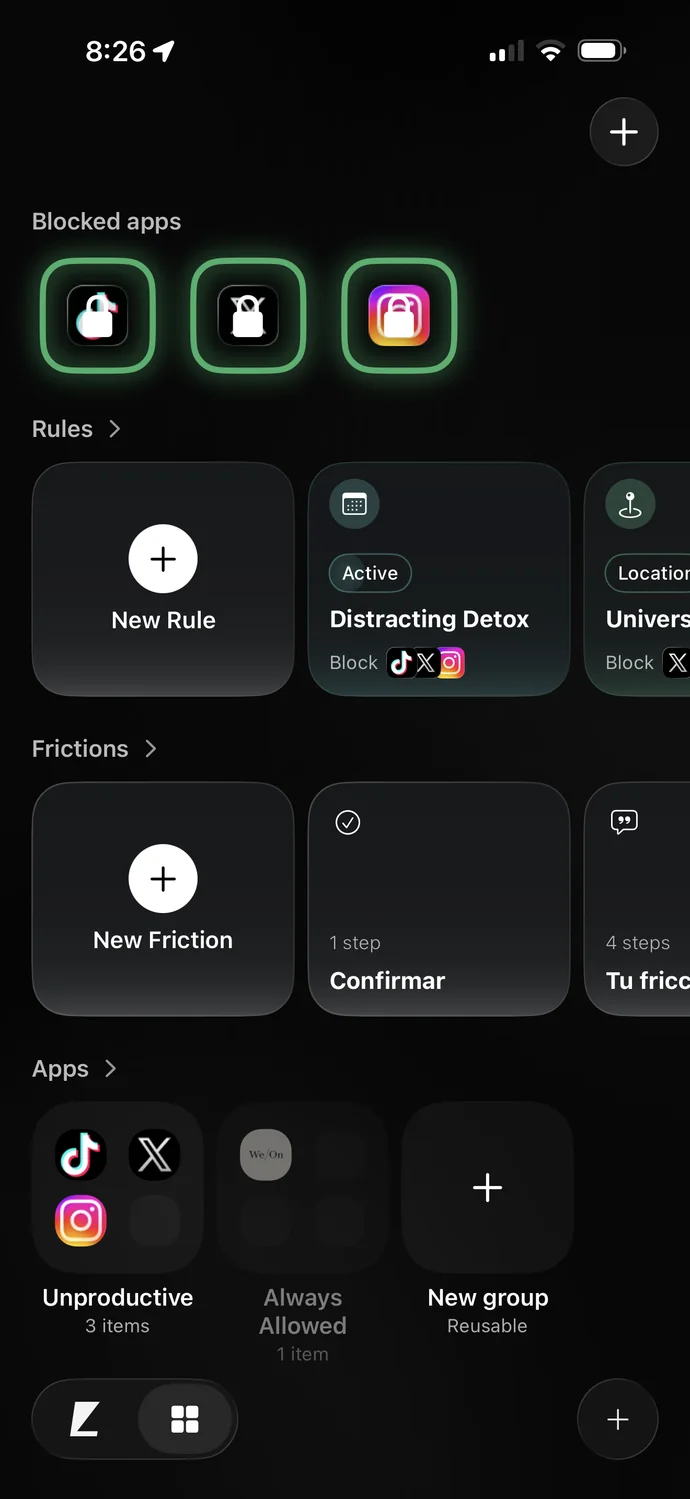
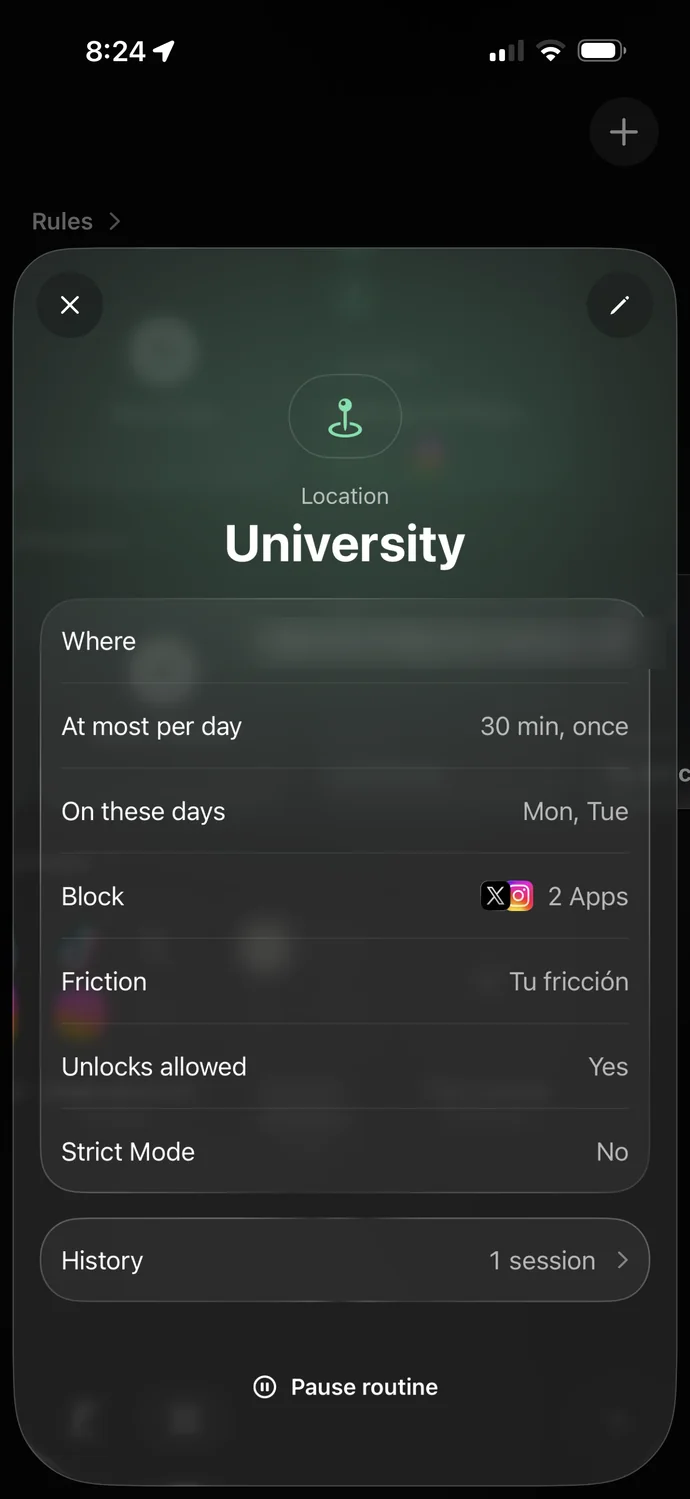
A rule in Lockty can be a daily time limit, a cap on how many times a day you open apps, short sessions, a schedule (including overnight, across midnight) or a location. When a rule applies, the app opens behind a Lockty screen.
Modes
Modes are routines. They start on a schedule, when you arrive at a place, or when you tap an NFC tag, and they can include tasks. Turn on Strict mode and a running mode can't be stopped or edited until it ends. That's Lockty's version of Opal's Hard Mode.
Inside a mode you can also block websites by typing their domains, and switch on the Adult content restriction, which filters adult websites while the mode runs.
Frictions
This is the biggest difference. Before an app unlocks, Lockty can ask you to:
- breathe for anywhere from 5 seconds to 3 minutes
- write what you're opening the app for
- copy a phrase
- solve a small challenge (Sort the Numbers, Odd One Out, Word Search, Letter Match, Operations, Tune the Value)
- read your own words or your past answers
You can mix them, so the pause doesn't turn into muscle memory.
Goals that unlock apps
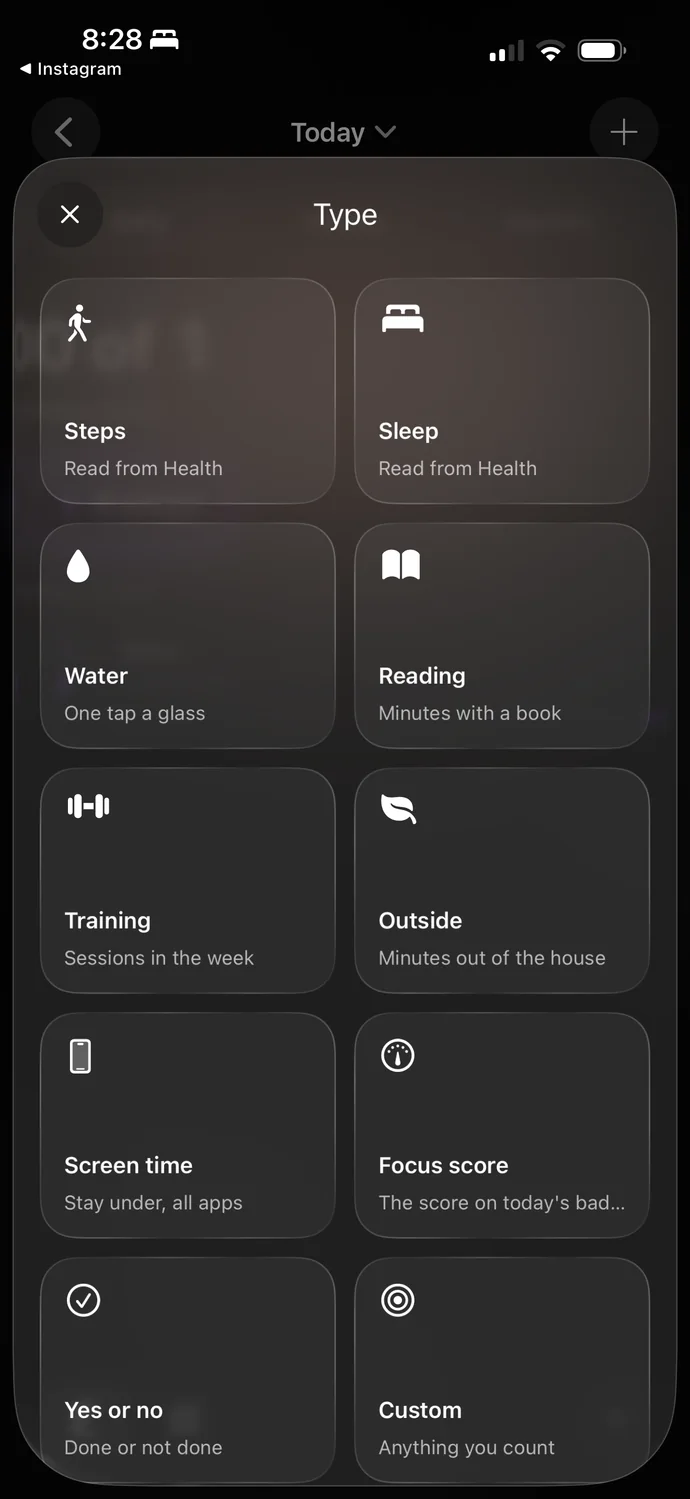
On the Today screen you set daily objectives: Steps and Sleep from Apple Health, plus Water, Reading, Training, Time outside, Screen time, Focus score, simple yes/no goals or your own. Add the Objectives step to a rule and your apps stay locked until your goals are met (all of them, the ones you ticked, or whichever are due today). Opal has nothing like this.
Controlled unlocks and scores
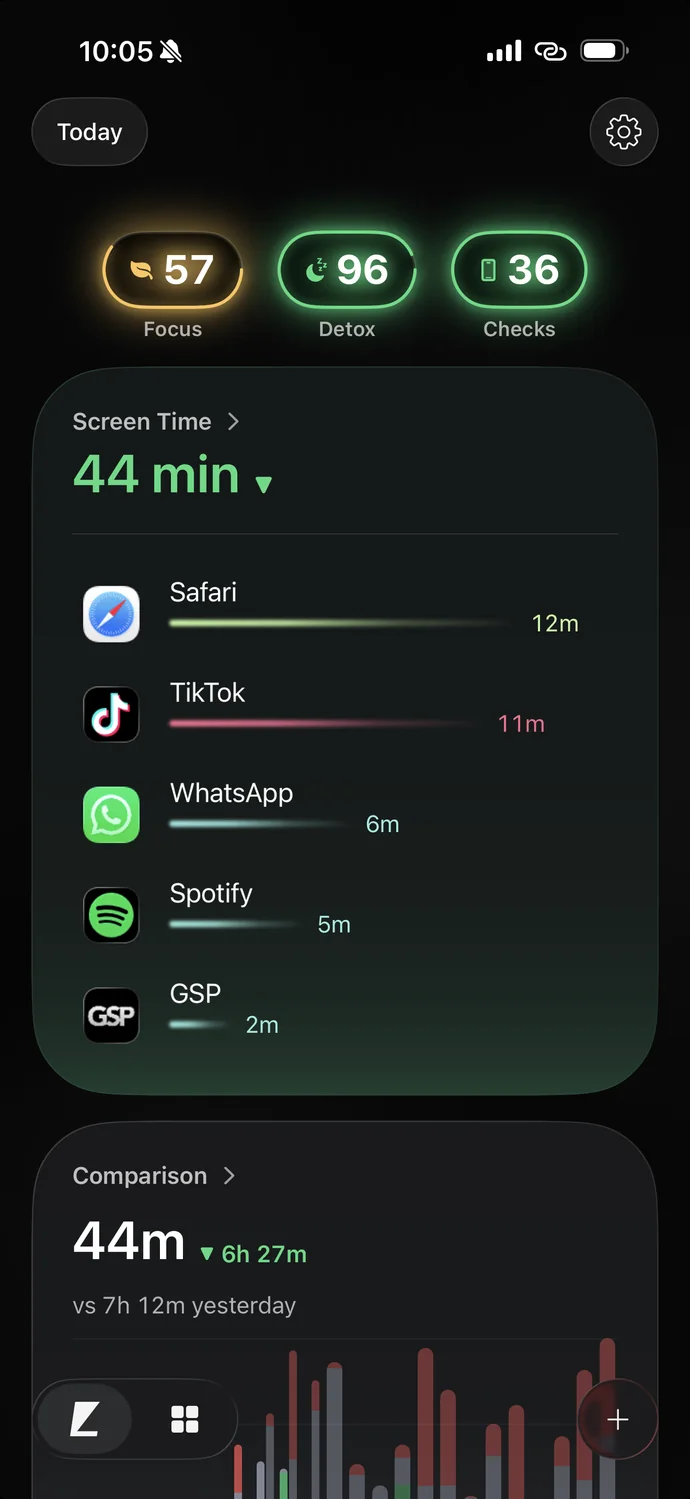
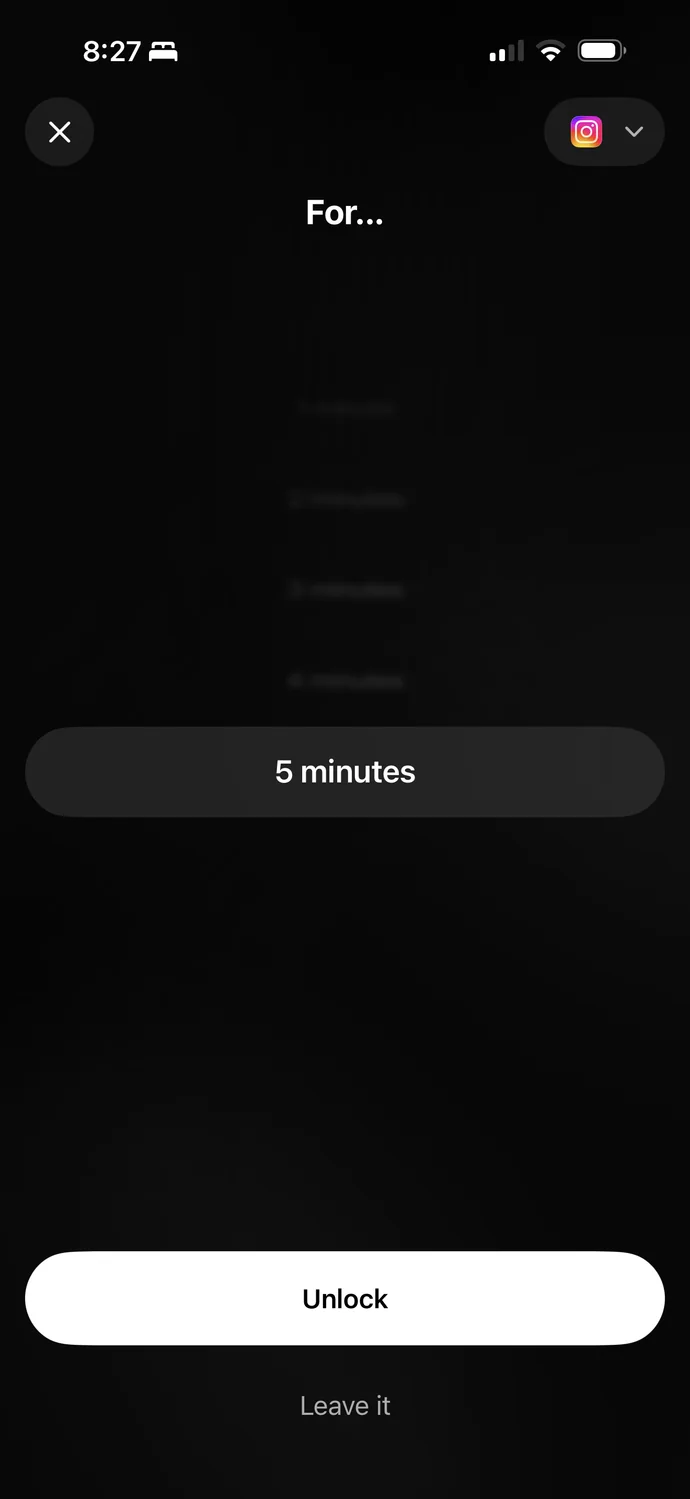
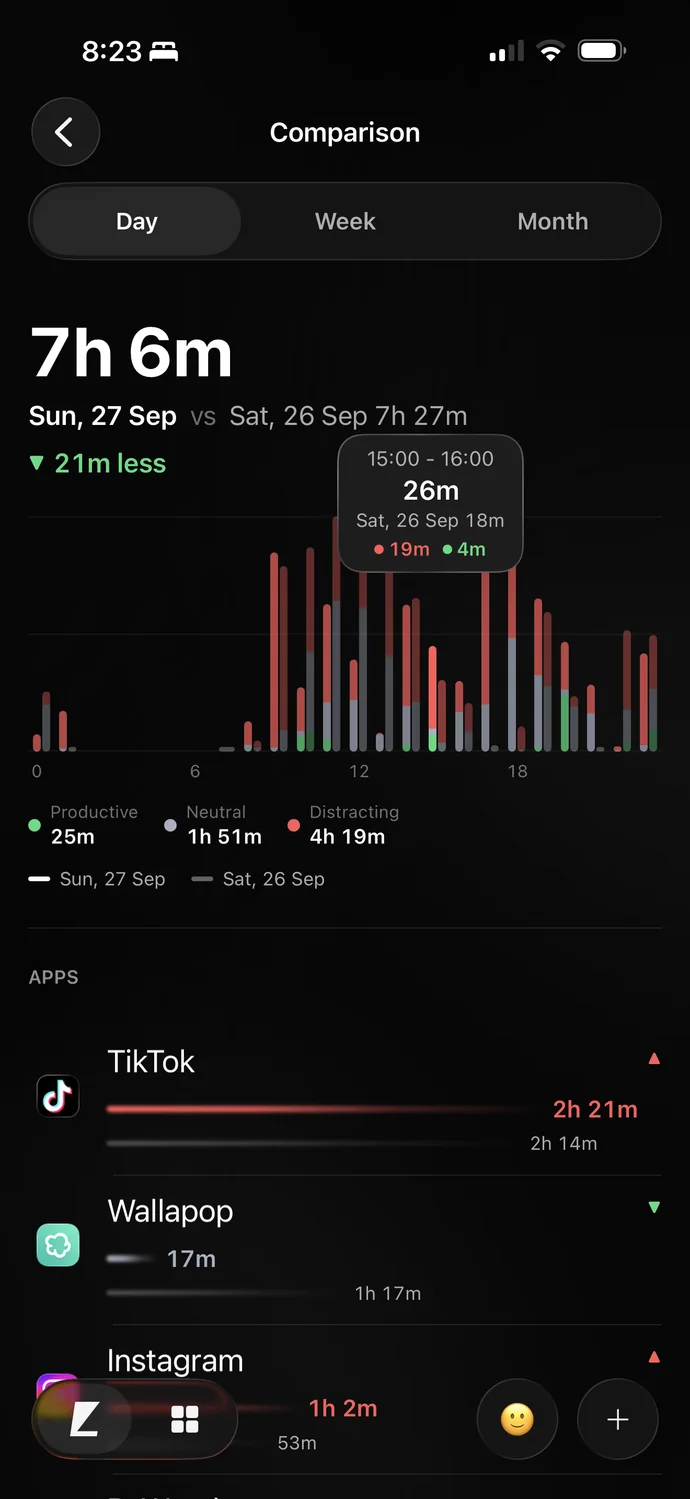
Each rule or mode sets how many unlocks you get: none, or a number per day with a minimum gap between them. When you unlock, you pick how many minutes, and a Live Activity counts down. Lockty also gives you Focus, Detox and Checks scores, today against yesterday hour by hour, a bit like a fitness tracker, but for your screen time.
Your usage data stays on your iPhone, there's no account to create, and exports are encrypted. You can see how the pieces fit together on how Lockty works.
Where Lockty is weaker than Opal
Being fair about it: Lockty has no Android or Mac app, no leaderboards and no social features. Its interface is in English and Spanish only. And it's a much newer app, without Opal's tens of thousands of ratings. If cross-device blocking or competing with friends is what keeps you going, Opal is the better fit.
What about Brainrot?
Brainrot is the other name that comes up when people look for an Opal alternative. It blocks apps and sites on schedules, has a focus (Pomodoro) timer, mindful breaks and insights, and a "brain avatar" that decays as you doomscroll. Its yearly price runs from $19.99 to $59.99 depending on the offer you see, and all features need a subscription. It has about 23K ratings on the US App Store, averaging 4.5. We're covering it in more depth in our Brainrot app review.
The verdict
Opal is a good app with a fair claim to its ratings. Pay for it if you want blocking across phone and computer and like a social, game-like push. If you're on iPhone only and the habit you're fighting is the reflex to open an app twenty times a day, you'll probably get more from custom rules, varied frictions and goals that unlock your apps, at about a quarter of the price.
Whichever app you choose, the setup matters more than the brand. Our guide on how to stop doomscrolling covers the habits that make any blocker work.
FAQ
How much does the Opal app cost?
On the US App Store, Opal Pro costs $99.99 a year or $19.99 a month (about $239 over a year), as of 19 November 2026. Opal's website also offers a $399 lifetime plan and up to 50% off for students. There is a free plan with 3 rules, app blocking and today's Opal Score.
Is Opal worth it?
It is if you'll use what you pay for: Hard Mode, unlimited rules, and apps on iPhone, Android and Mac. If you only need blocking on an iPhone, cheaper apps cover the same core features, and some add things Opal doesn't have, like goals that unlock apps.
Is the free version of Opal enough?
For light use, maybe. The free plan gives you 3 rules and basic app blocking. Hard Mode, the setting that stops you from turning Opal off, is part of Pro, and for most people that's the feature that actually changes behaviour.
What is the best Opal alternative app?
It depends on why you're leaving. For a cheaper iPhone blocker with more customisation, Lockty costs $24.99 a year and adds frictions, Strict mode, website and adult content blocking, and goals that unlock apps. Brainrot is an option if you like a playful avatar and a Pomodoro timer.
Sources
- Opal: Screen Time Control, App Store listing (description, in-app purchases, ratings, privacy details), Apple, 2026
- Opal pricing, Opal, 2026
- Opal homepage, Opal, 2026
- Lockty, App Store listing, Apple, 2026