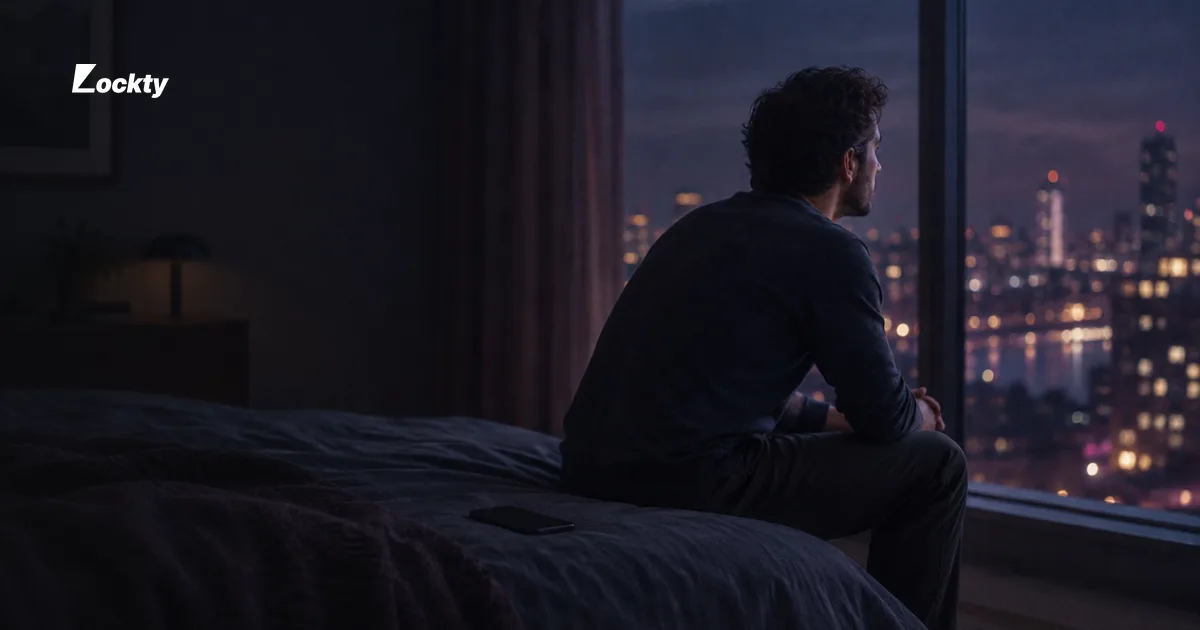
Digital Detox: What It Is, If It Works, and a Plan to Follow
Some people come back calmer, others notice nothing. What the studies found, and a plan for a weekend, a full week or the long run.

A digital detox is a set period where you deliberately cut back on, or stop, using your phone, social media or other screens. The research is mixed: a 2021 review of 21 studies found benefits in some, no effect in others and worse well-being in a few, but breaks of at least a week tend to beat short ones. Below is a weekend version, a 7-day reset and a set of rules to keep it going, plus how to make it hold on an iPhone.
What a digital detox actually is
You'll also see it called digital detoxification, a phone detox, a screen detox or a tech detox. All of them mean a deliberate timeout from the device, or from the apps that take more attention than you'd like. A few people go fully offline. Most cut specific apps (social feeds, short video, news) and keep maps, messages and banking.
A "dopamine detox" is a different idea, about avoiding stimulation in general. Our sister blog covers it in a separate guide to dopamine detox.
Does a digital detox work? What the research says
Sometimes, for some people, depending on how it's done.
- The big review is mixed. Radtke and colleagues reviewed 21 intervention studies with 3,625 participants (Mobile Media & Communication, 2021). Effects on well-being, relationships, self-control and performance varied: some studies found benefits, some none, and some found negative effects on well-being.
- About 30 minutes of social media a day helped students. In a 2018 University of Pennsylvania experiment, 143 undergraduates limited Facebook, Instagram and Snapchat to 10 minutes per platform per day for three weeks. Depression and loneliness dropped compared with the control group, most for those who started out more depressed.
- Quitting Facebook for four weeks shifted how people spent time. In a 2020 American Economic Review study, users randomly assigned to deactivate spent more time offline, including with friends and family, reported higher well-being and used Facebook less after the experiment ended.
- Blocking mobile internet for two weeks improved attention and mood. In a 2025 PNAS Nexus trial with 467 iPhone users, 91% improved on at least one of well-being, mental health or sustained attention. The catch: only about a quarter kept the block on for at least 10 of the 14 days.
- Length seems to matter. A 2024 meta-analysis by Christopher Ferguson found no average effect of social media reduction experiments. A 2025 reanalysis of the same data by Thrul and colleagues dropped studies that weren't real reduction or abstinence interventions. Breaks shorter than a week were linked to slightly worse mental health; breaks of a week or more, to improvements. They suggest around three weeks may be ideal, pending more research.
So: a weekend is a fine trial, but don't judge the idea on how you feel on Sunday night. And the hard part is keeping the block on, which is what the plans and tools below are for.
Before you start: decide what's in and out
Name the apps that are out ("no Instagram, TikTok, YouTube or news" beats "less phone"). List what stays, like calls, maps, your bank and work tools, so you don't break the detox for something you needed. Then write down what fills the gaps: a walk, a book, the gym.
Plan 1: the weekend digital detox (48 hours)
Good for a first try or a reset after a bad week.
- Friday evening: tell people who might need you that you'll be slow to reply. Move social and video apps off your home screen. Charge the phone outside the bedroom and use a cheap alarm clock.
- Saturday: phone for calls, messages and maps only. Plan one long offline block (a hike, a market, a long lunch) so the day doesn't become "waiting to check my phone".
- Sunday: same rules. In the evening, write down what you actually missed. The list is usually short.
- Sunday night: decide which apps come back, and with what limit.
Expect to feel restless. Given the Thrul reanalysis, treat the weekend as a test of your setup, not a verdict.
Plan 2: the 7-day phone detox reset
This is the version most likely to show you something, since the research points to a week or more.
| Day | Rule | Why |
|---|---|---|
| 1 | Feeds blocked all day. Phone out of the bedroom. | Breaks the default habit loops |
| 2 | Same, plus notifications off except from people | Fewer cues to pick the phone up |
| 3 | One daily goal before any unlock: a walk, 20 pages, time outside | Gives the freed time a job |
| 4 | One phone-free meal with family or friends | Puts the time somewhere that matters |
| 5 | Compare your screen time with day 1 | Seeing the drop keeps you going |
| 6 | Optional: one short, planned window for one app | Tests whether you can use it on purpose |
| 7 | Write your "keep it going" rules | Turns the week into a routine |
If you slip on day 3, carry on from day 4. A slip shows you which moment is hardest, often first or last thing in the day.
Plan 3: keep it going
A one-off detox fades unless something stays in place. These rules tend to survive normal life:
- No feeds before a set time, such as 10 a.m., or until your morning goal is done.
- No phone in the bedroom overnight. Feeds lock from, say, 10:30 p.m. to 7 a.m.
- A daily cap on opens, not just minutes. Ten quick checks often feel worse than one longer session.
- A pause before every unlock. Ten seconds of breathing, or typing why you're opening the app, is enough to break autopilot.
- Goals before scrolling. Steps, reading or time outside first; the feed after.
If your main problem is endless scrolling late at night, see our guide on how to stop doomscrolling.
Use the freed time to spend more time with family
The time you get back is the point. In the Facebook deactivation study, people who quit spent more of it offline, including with friends and family. That's easier when you plan it:
- One phone-free meal a day. Every phone goes in a basket or another room, adults' included.
- A shared weekend slot. A walk, a game, cooking together, and nobody brings a screen.
- Replace the bedtime scroll. Read to your kids, talk with your partner, or read your own book in the same room.
- Say what you're doing. "I'm putting my phone away so we can play" lands better than a rule only the kids follow.
How to make a digital detox stick on iPhone
Willpower covers a weekend. For longer, let the phone hold the line.
Screen Time (free, built in)
Apple's Screen Time lets you set schedules for when apps are available and daily time allowances for categories like Social Media, with an Always Allowed list for apps you need. It's free and a good place to start.
The weak spot: you set the limits for yourself. Apple's iOS 26 guide says that by default, Screen Time limits can be ignored once reached. Real blocking needs a Screen Time passcode, which you chose and therefore know (some people hand it to a partner). Screen Time also can't tie an unlock to a goal like steps or reading.
A digital detox app
An app built on Apple's Screen Time API can add a pause before unlocking, goals that unlock apps, and a mode you can't cancel. App Store prices below were checked on 19 November 2026 and vary by country and offer:
| Screen Time | Lockty | Opal | |
|---|---|---|---|
| Price | Free | $24.99/year ($9.99/month) | $99.99/year |
| Block apps and websites | Yes | Yes | Yes |
| Schedules | Yes | Yes, including overnight | Yes |
| Pause before unlocking | No | Yes (frictions) | Mindful block screens |
| Goals that unlock apps | No | Yes | Not in its App Store listing |
| Can't-cancel mode | Only with a passcode you know | Strict mode | Deep Focus |
| Platforms | Apple devices | iPhone and iPad | iPhone, Android, Mac |
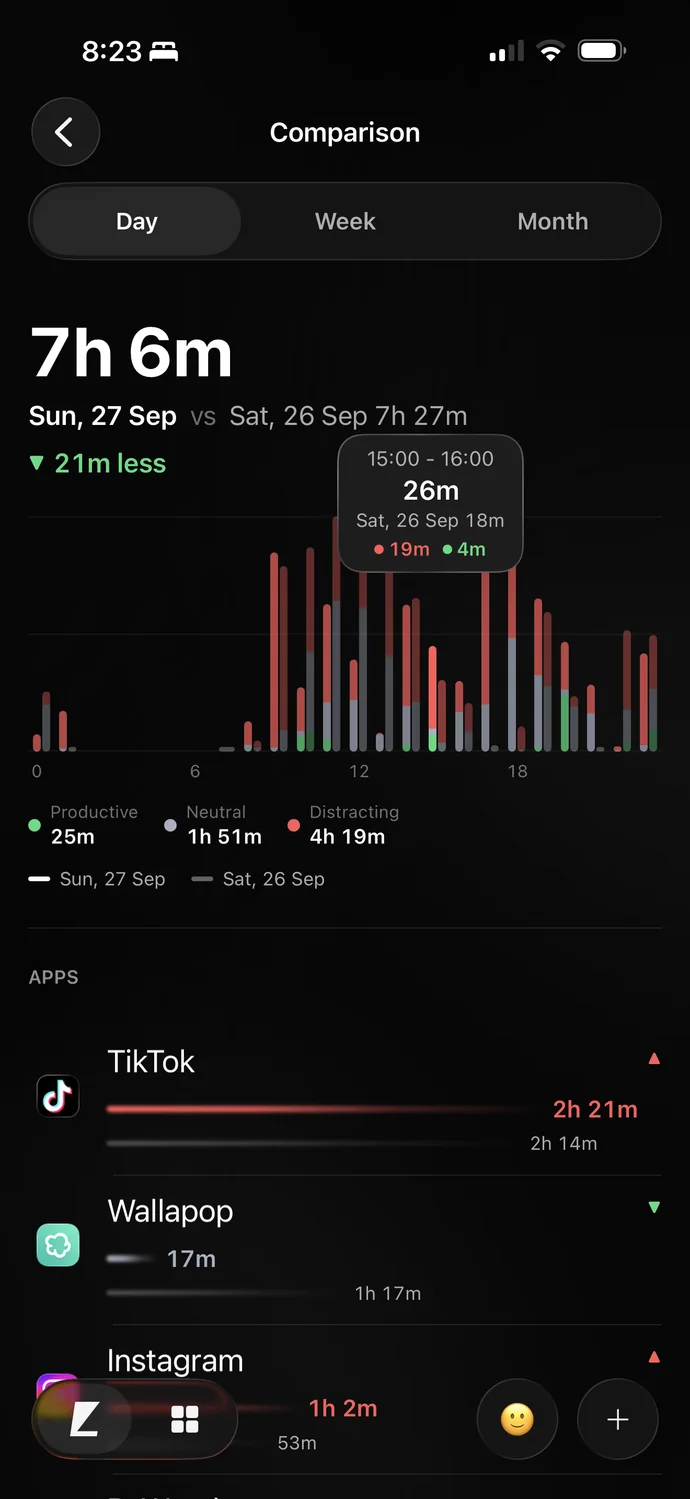
Opal suits people who want leaderboards, focus reports or Android and Mac support. Lockty costs less than a quarter of Opal's yearly plan and is built around daily goals, a bit like a fitness tracker, but for your screen time.
Setting up a digital detox in Lockty
Lockty runs on iPhone and iPad (iOS 18 or later), keeps usage data on your iPhone and needs no account. The app is in English and Spanish.
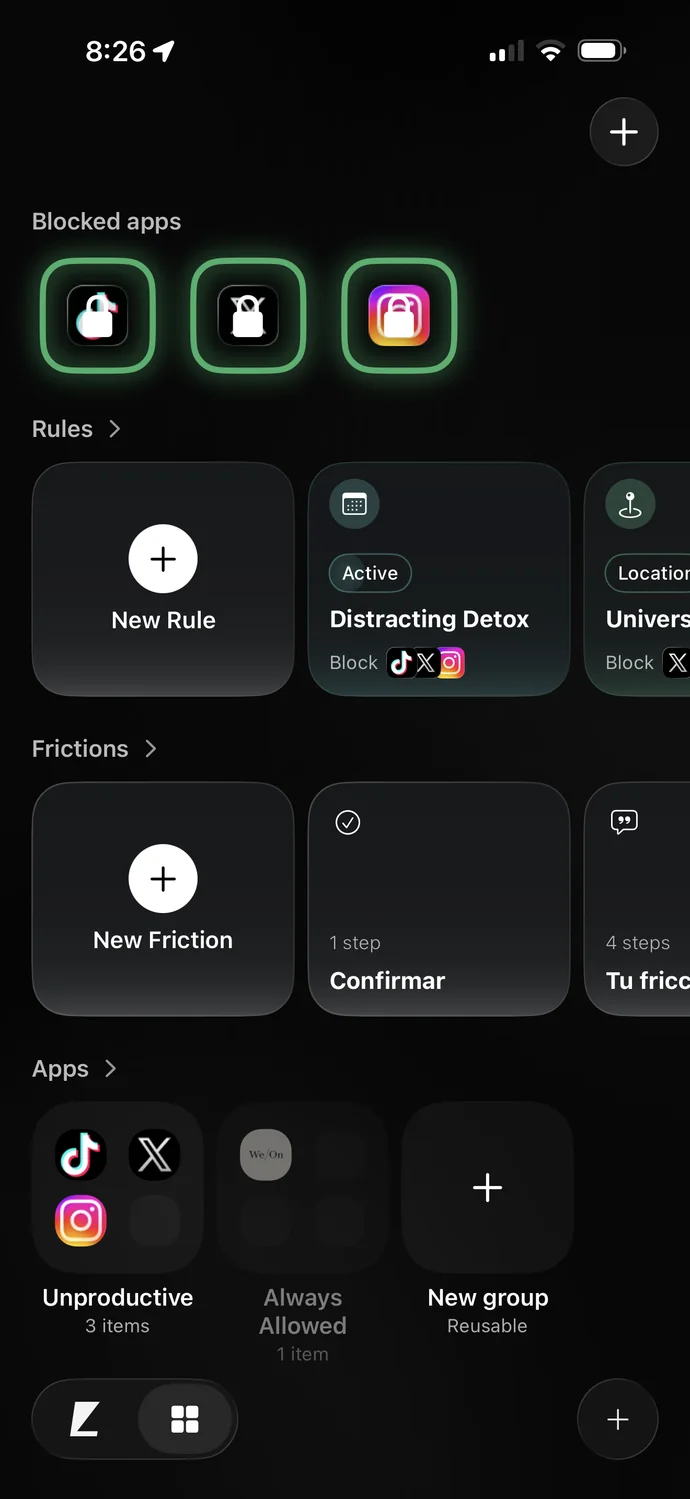
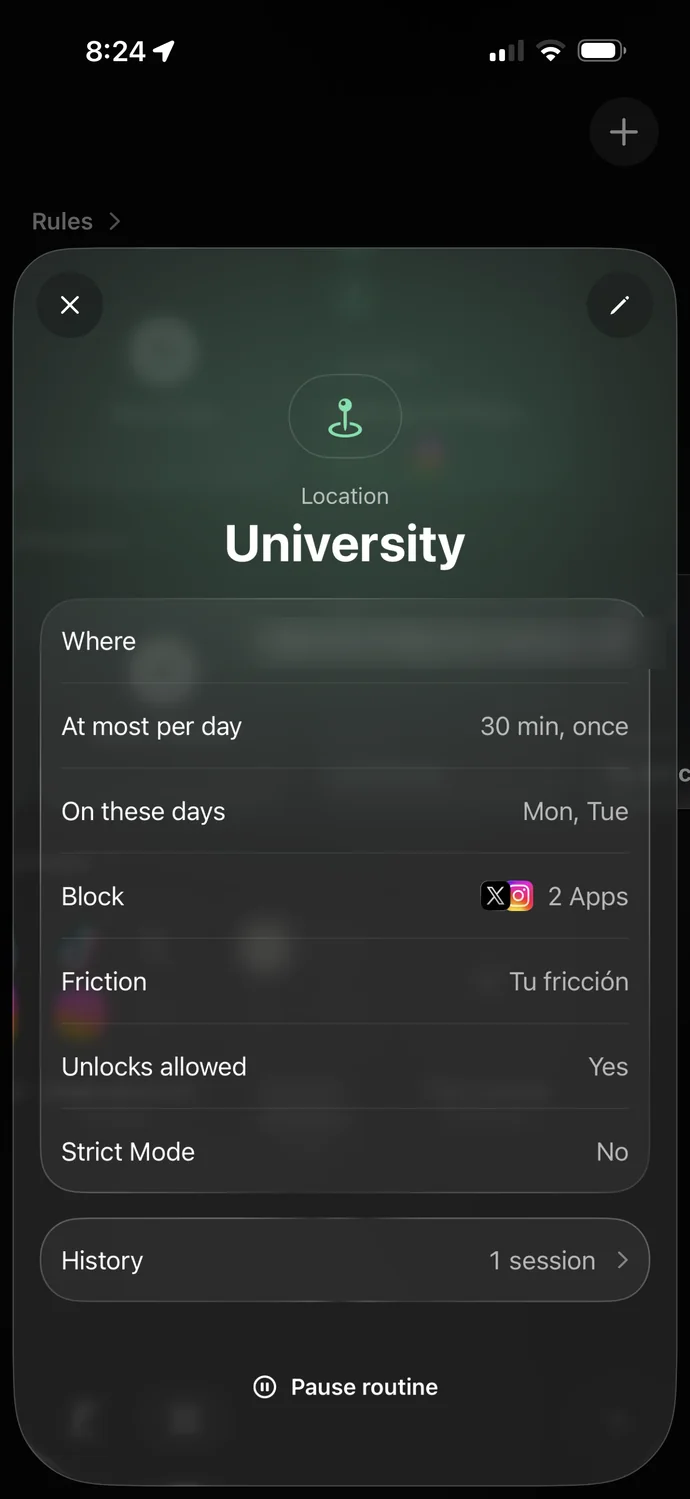
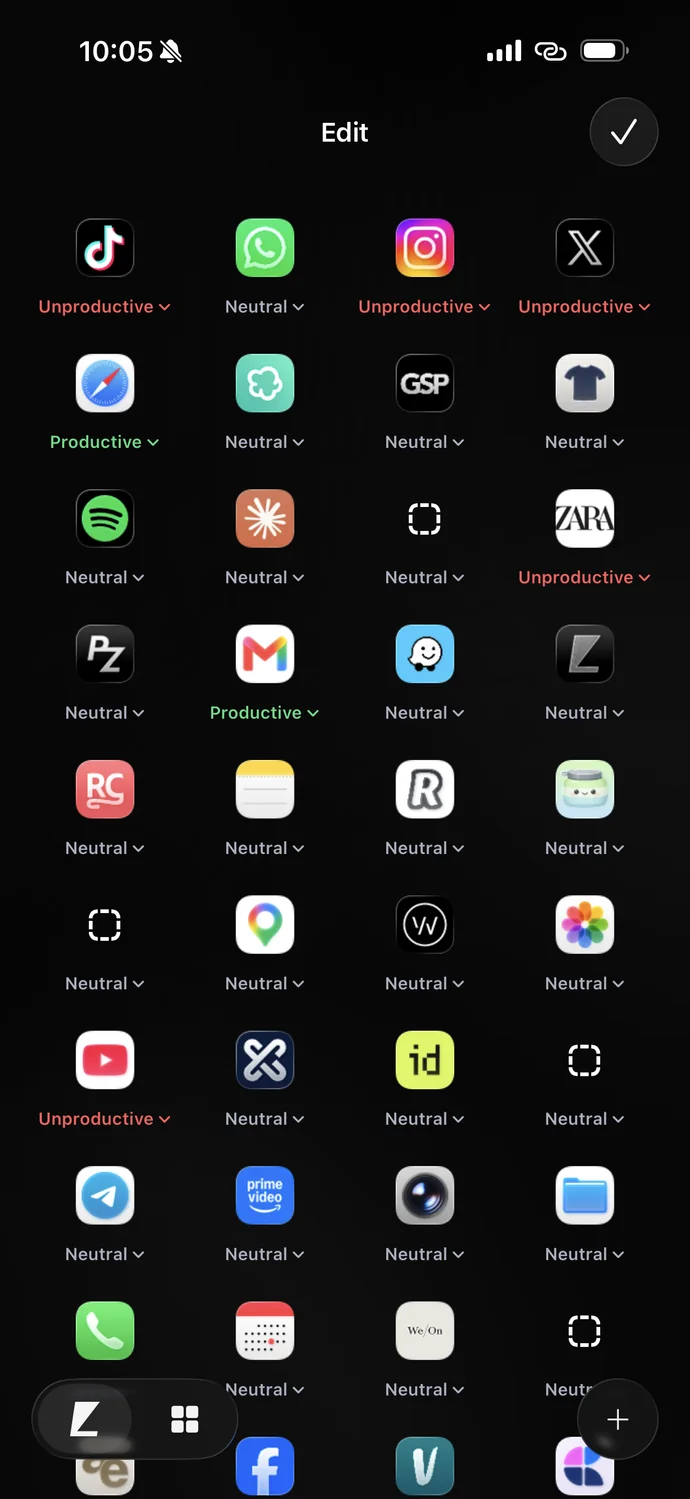
- Block the feeds. Install Lockty from the App Store and allow Screen Time access. Tap New Rule and choose the apps that pull you in (Instagram, TikTok, YouTube, Reddit). You can also block websites by typing their domains in a mode, so the browser isn't a back door. When a rule applies, the app opens behind a Lockty screen.
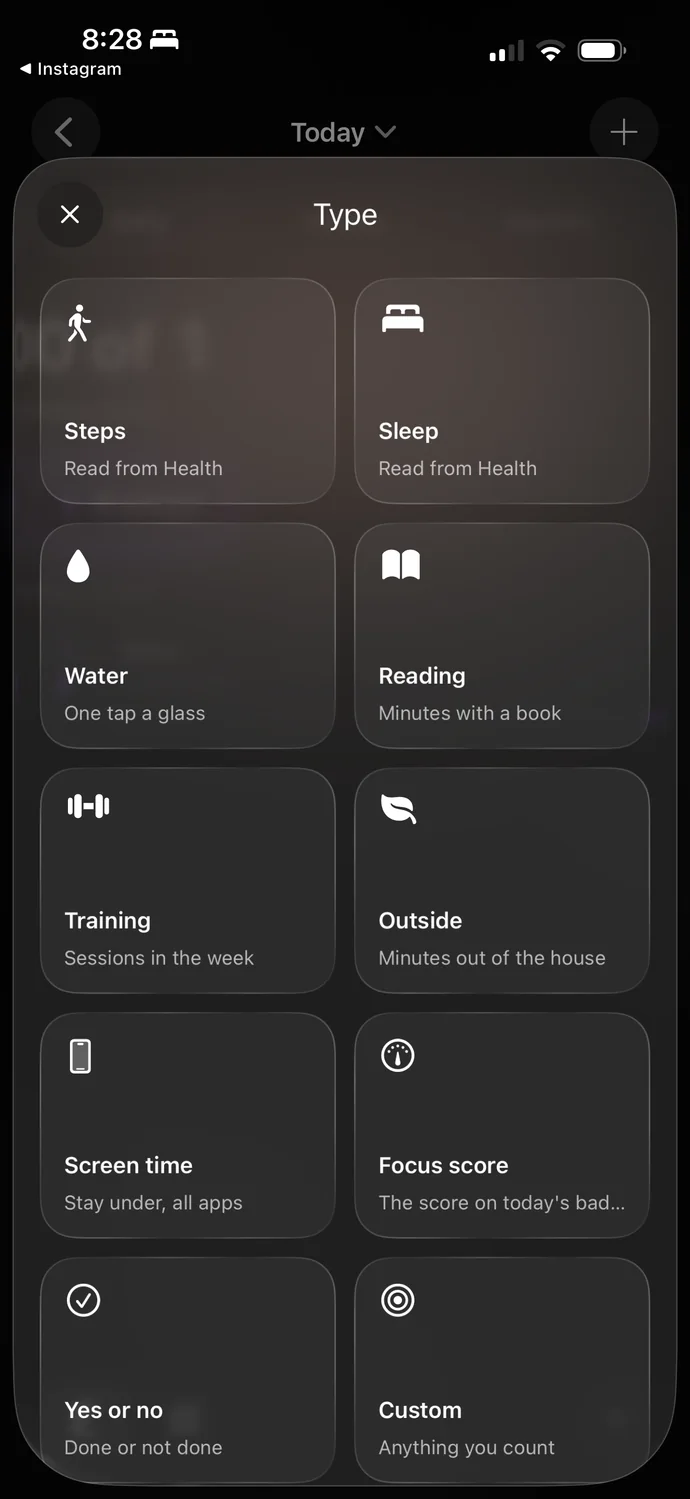
- Set goals that unlock apps. On the Today screen, tap + and add objectives. Steps and Sleep come from Apple Health; you can also add Reading, Time outside, Training or a custom goal. For a step-based setup, see how to unlock apps with steps, or see how goals work on the Lockty site.
- Add a friction. Tap New Friction and stack the steps you want before an unlock: a breathing pause (5 seconds to 3 minutes), writing what you're opening the app for, a challenge like Sort the Numbers, and the Objectives step, so apps only open once your goals are met.
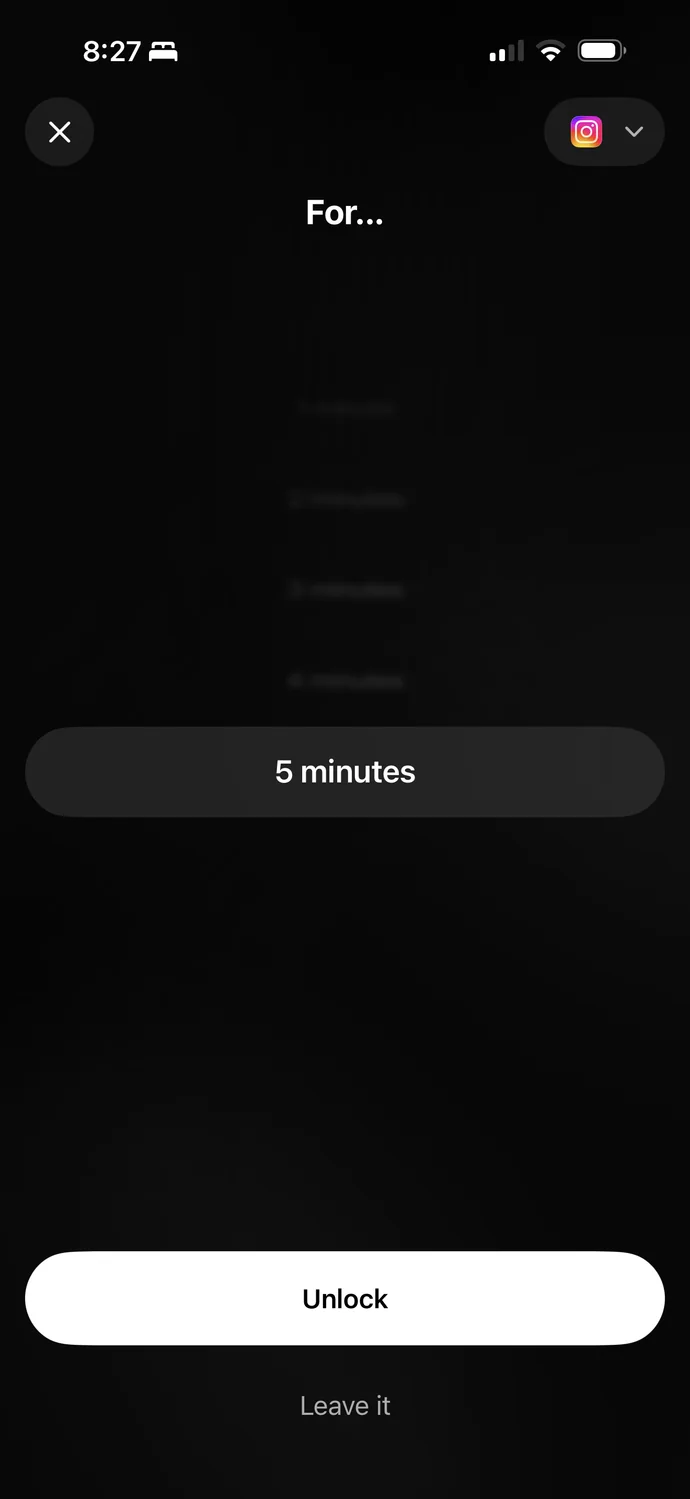
- Limit unlocks. Set Unlocks allowed on the rule to none, or to a number per day with a minimum gap. When you unlock, you pick how many minutes and a Live Activity counts down.
- Lock the nights. Add a schedule that runs across midnight, such as 10:30 p.m. to 7 a.m.
- Make the weekend strict. Create a mode for your detox weekend and turn on Strict mode, so it can't be stopped or edited once it's running.
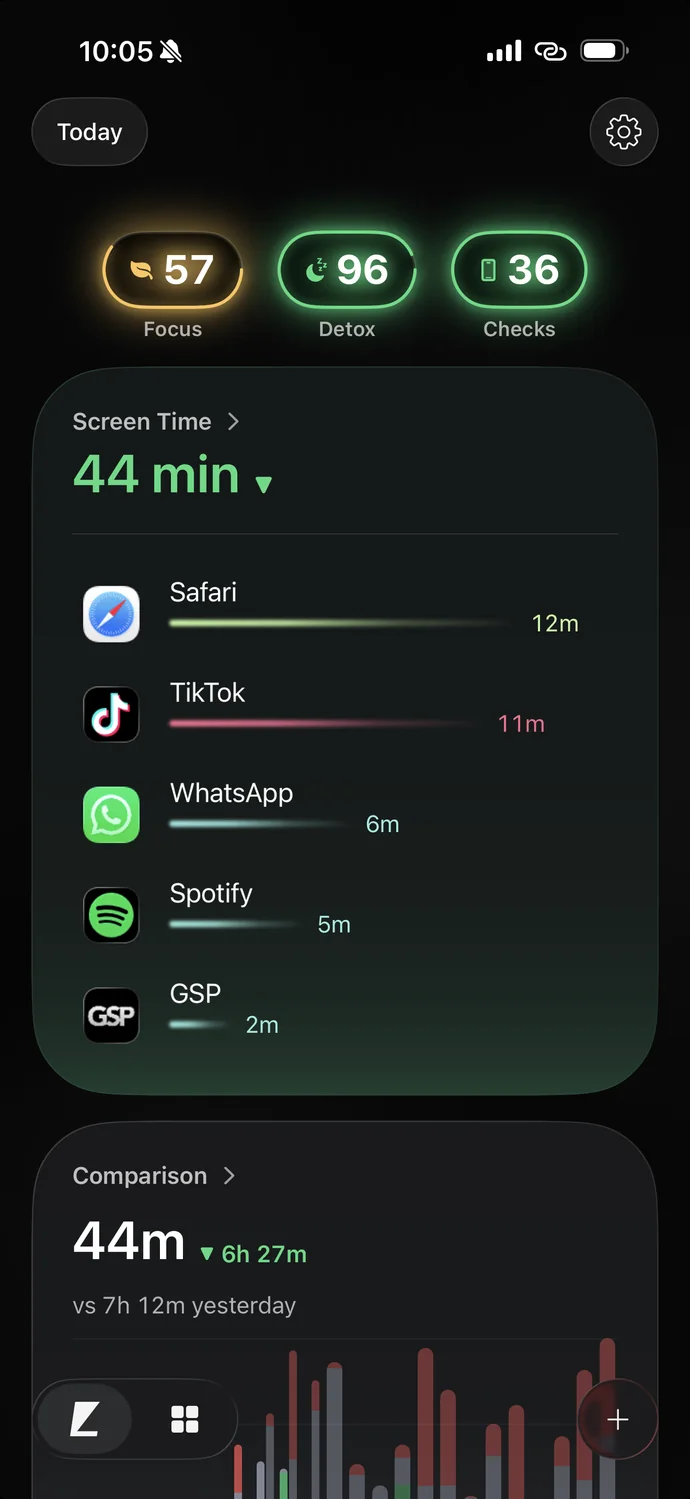
Your Focus, Detox and Checks scores compare today with yesterday, hour by hour, which covers the day-5 check.
FAQ
How long should a digital detox be?
At least a week if you can. A 2025 reanalysis of social media reduction studies linked breaks under a week to slightly worse mental health and breaks of a week or more to improvements, with around three weeks possibly ideal. A weekend is still a useful trial.
Does a digital detox actually work?
For many people, but not everyone. A 2021 review of 21 studies found mixed results. Trials that cut social media to about 30 minutes a day, or blocked mobile internet for two weeks, found better mood, less loneliness or sharper attention.
What's the best digital detox app for iPhone?
Start with Screen Time, which is free. If you keep tapping past the limits, try an app with a pause or goals before unlocking. Lockty ($24.99/year) suits people who want steps or reading to unlock apps; Opal ($99.99/year) suits people who want focus reports, leaderboards and Android or Mac support.
Can I do a phone detox without deleting apps?
Yes, and it's often easier. Schedules, a cap on opens and a pause before each unlock remove the autopilot and keep the useful apps.
Is a screen detox the same as a tech detox?
Mostly. A screen or tech detox can include TV, laptop and games; a phone detox focuses on the device in your pocket. The plans above work for both.
Sources
- Digital detox: An effective solution in the smartphone era? A systematic literature review (Radtke, Apel, Schenkel, Keller and von Lindern), Mobile Media & Communication, 2021 (print issue 2022)
- No More FOMO: Limiting Social Media Decreases Loneliness and Depression (Hunt, Marx, Lipson and Young), Journal of Social and Clinical Psychology, 2018, via Penn Today
- The Welfare Effects of Social Media (Allcott, Braghieri, Eichmeyer and Gentzkow), American Economic Review, 2020
- Blocking mobile internet on smartphones improves sustained attention, mental health, and subjective well-being (Castelo et al.), PNAS Nexus, 2025
- Social Media Reduction or Abstinence Interventions Are Providing Mental Health Benefits: Reanalysis of a Published Meta-Analysis (Thrul et al.), Psychology of Popular Media, 2025
- Set Screen Time Schedules and Time Allowances on iPhone, Apple Support, iPhone User Guide, 2026
- Set schedules with Screen Time on iPhone (iOS 26), Apple Support, iPhone User Guide, 2026
- Lockty, App Store listing, Apple, US prices checked 19 November 2026
- Opal: Screen Time Control, App Store listing, Apple, US prices checked 19 November 2026