How to Stop Doomscrolling: 8 Fixes That Work, Day and Night
Willpower loses to a feed with no end. What works is a pause before the app opens, a cut-off you set in the morning, and something else to do when the urge hits.
The fastest way to stop doomscrolling is to change three things at once: put a short pause between you and the apps you scroll, set a hard stop at night that you decide in the morning, and plan what you'll do instead when the urge hits. Friction alone has strong evidence behind it. In a six-week field study of 280 people, a 10-second pause with an easy way to back out cut actual openings of the chosen apps by 57% (Grüning et al., PNAS, 2023; the study used the one sec app and was co-authored by its developer, so treat it as strong but not independent evidence).
- Friction before opening. A delay, a breathing exercise or a question ("what are you opening this for?") with an easy way to back out.
- A hard stop at night. Your feed apps blocked from, say, 22:00 to 07:00, set while you're calm.
- Replace the moment. A book on the nightstand, a podcast for the queue, a walk after work. Something you can do with the hand that was holding the phone.
The rest of this guide is a practical plan built around those three. If your problem is the phone in general rather than the scroll, start with how to stop phone addiction, which covers the bigger picture.
Why doomscrolling is so hard to stop
Doomscrolling is more than a buzzword. Researchers at the University of Florida built a scale to measure it and found it is a distinct behavior: it often starts with wanting to stay informed and turns into a compulsive search for more bad news. They linked it to fear of missing out and to being constantly connected, and found it more common in men and younger people (UF News, 2022).
Three things keep you scrolling.
The feed has no bottom
A newspaper ends on the last page. A feed loads more. Aza Raskin, who designed infinite scroll in 2006, now says he regrets it. He compares it to a wine glass that quietly refills, so you never notice you've reached the bottom. His summary of what went wrong: "in technology, incentives eat intentions" (NPR / The Public's Radio, 2026).
The good posts come at random
Most posts are dull. Every so often one is funny, shocking or exactly what you wanted. You can't predict which swipe brings it, so you keep swiping.
A study in Nature Communications modeled more than one million posts from over 4,000 people and found their behavior matched the principles of reward learning: people timed their posts to collect likes as efficiently as possible (Lindström et al., 2021). That study looked at posting, not scrolling, but the logic is related. When the payoff is unpredictable, stopping feels like leaving just before the good part.
Part of you already wants to stop
In a randomized experiment, economists Hunt Allcott, Matthew Gentzkow and Lena Song estimated that self-control problems cause 31% of social media use. When people could set limits on their future screen time, their use dropped substantially (American Economic Review, 2022).
The useful part: the version of you at 8 a.m. can set rules that the version of you at midnight has to live with.
How to stop doomscrolling: 8 tactics
1. Turn off news and social notifications
Every push is an invitation back into the feed. In a two-week experiment with 221 students, inattention and hyperactivity were significantly higher in the week notifications were on (UVA Today, 2016). Keep notifications for people who message you directly. Turn off everything from news apps, TikTok, Instagram, X and Reddit.
2. Put a pause before the app opens
This is the tactic with the best evidence. In the one sec study, people dismissed the app in 36% of their opening attempts once the pause appeared, and their attempts fell 37% over six weeks. In a separate experiment with 500 people, the option to back out had the strongest effect. A reflection message on its own did not work (Grüning et al., PNAS, 2023).
So a good pause has two parts: a few seconds of waiting and an obvious "close it" button.
3. Ask what you're opening it for
Most sessions start on autopilot. Typing a reason ("check if Sam replied", "nothing, I'm bored") takes more effort than reading a prompt, and it makes the autopilot open visible. If the honest answer is "nothing", you have your exit.
4. Cap opens, not just minutes
Doomscrolling is often dozens of short checks. A daily time limit of 30 minutes can still allow 40 openings. A cap of, say, 10 opens a day forces you to choose which ones count.
5. Make the feed harder to reach
Move the apps off your home screen, log out after each session, or use the clunkier browser version. Each step adds a few seconds, and seconds matter.
6. Replace the moment
Notice when you scroll (the queue, after a hard email, in bed) and pick a substitute for each in advance: a book in your bag, a podcast queued up, a stretch. Without one, the pause is just waiting time before you open the app anyway.
7. Give the news a container
If bad news is your trigger, read it once a day from something that ends, like a newsletter or a front page. The UF researchers note that once people realize "this is making me feel bad", they can work to form new media habits (UF News, 2022).
8. Set your limits when you're calm
Following Allcott and colleagues, set rules in advance and make them hard to undo. A rule that can be switched off in two taps at 23:40 will be. Hand the passcode to someone else, or use a blocker with a mode you can't stop once it starts.
Doomscrolling at night
In a survey of 2,007 US adults for the American Academy of Sleep Medicine, 38% said reading news on their phone before bed makes their sleep worse (46% of 18 to 24-year-olds). Half use a screen in bed every day, and 26% put phone time ahead of getting enough sleep (AASM, 2026).
The AASM's advice is simple and worth copying:
- Stop using screens 30 to 60 minutes before bed.
- Keep the phone out of the bedroom and use a regular alarm clock.
- If the phone has to stay in the room, turn off notifications.
- Build a calming routine instead: reading, journaling, a warm shower.
The charger in the kitchen does more than any app. When that isn't possible, set an overnight block on your feed apps, from 22:00 to 07:00, so that "one more minute" meets a locked screen.
Apps that help you stop doomscrolling
For the pause, the opens cap and the night block, an app is more reliable than willpower. Prices are US App Store prices checked on 19 November 2026; they vary by country and offer.
| App | Price (US) | What it does against doomscrolling | Who it suits |
|---|---|---|---|
| Apple Screen Time | Free, built in | Downtime and App Limits. Limits can be ignored once reached unless you set a Screen Time passcode and turn on Block at Downtime | People who can give the passcode to someone else |
| one sec | Free for one app; Pro $19.99/year or $6.99/month | A pause (breathing and other interventions) before an app opens; a "Doom Scroll Emergency Brake" after a set time; also on Android and as a browser extension | People who want friction rather than hard blocks |
| Opal | $99.99/year | Blocking at set times, app limits, Deep Focus that can't be cancelled, Focus Score; iPhone, Android and Mac | People who want a polished multi-device blocker and don't mind the price |
| Brainrot | $19.99 to $59.99/year depending on the offer | Blocking and schedules, a brain avatar that decays as you doomscroll, focus timer; all features need a subscription | People motivated by a visual, game-like nudge |
| Lockty | $24.99/year or $9.99/month | Rules with opens caps and overnight schedules, frictions before every unlock, unlocks with a minimum gap, daily scores | iPhone users who want blocking and friction in one app |
Screen Time details come from Apple Support; one sec from its App Store page.
The best app to stop doomscrolling depends on what fails for you. If you open apps on autopilot, one sec's pause is well tested. If you need things locked during set hours, Opal is the best-known option; our Opal review covers whether it's worth $99.99. If a guilt-trip avatar works on you, see our Brainrot review. If you want a pause, a cap and a night block together, that's what we built Lockty for, and it costs less than a quarter of Opal's yearly plan.
How to set up Lockty for doomscrolling
Lockty is an iPhone and iPad app for iOS 18 and later. It uses Apple's Screen Time API, your usage data stays on the iPhone, and you don't create an account. Here's a setup aimed at doomscrolling.
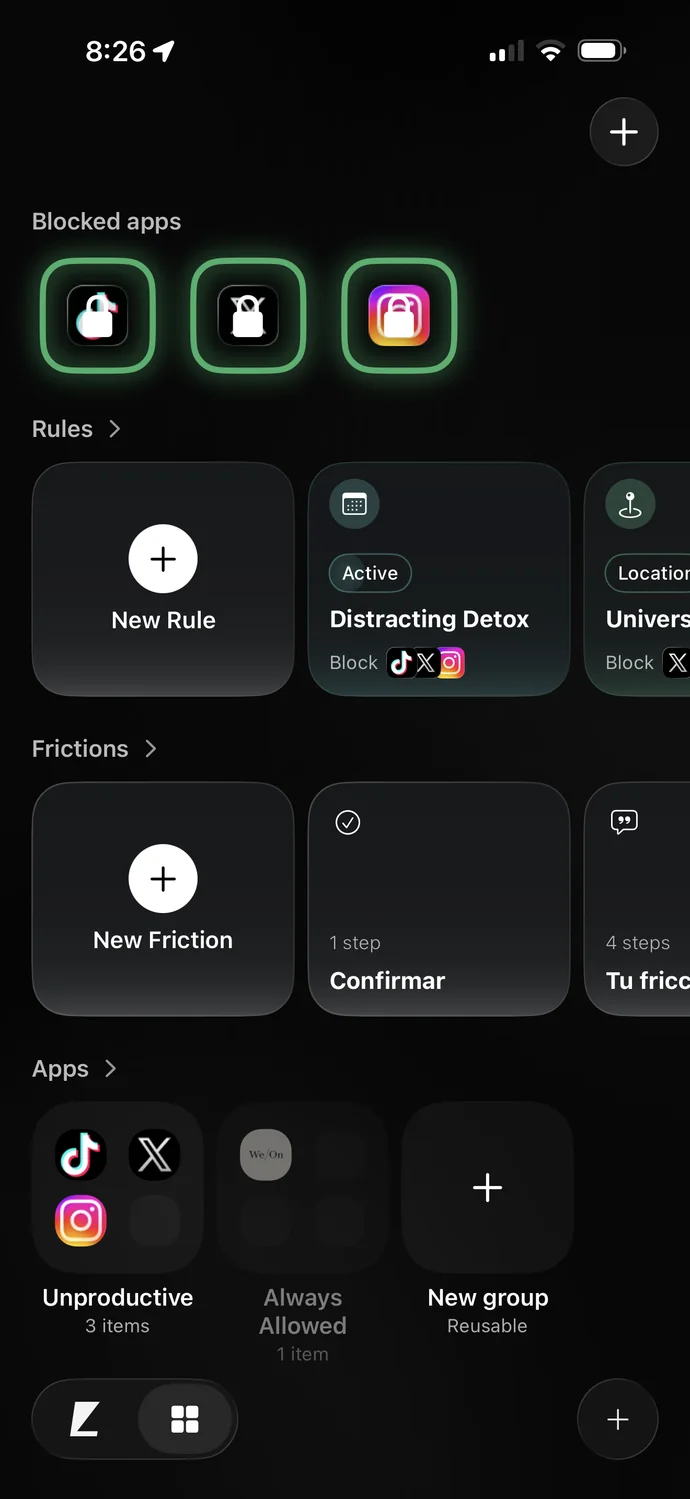
- Make a friction. Tap New Friction and add "write what you're opening it for". Add a short breathing step if you like (anything from 5 seconds to 3 minutes). This is your pause from tactics 2 and 3.
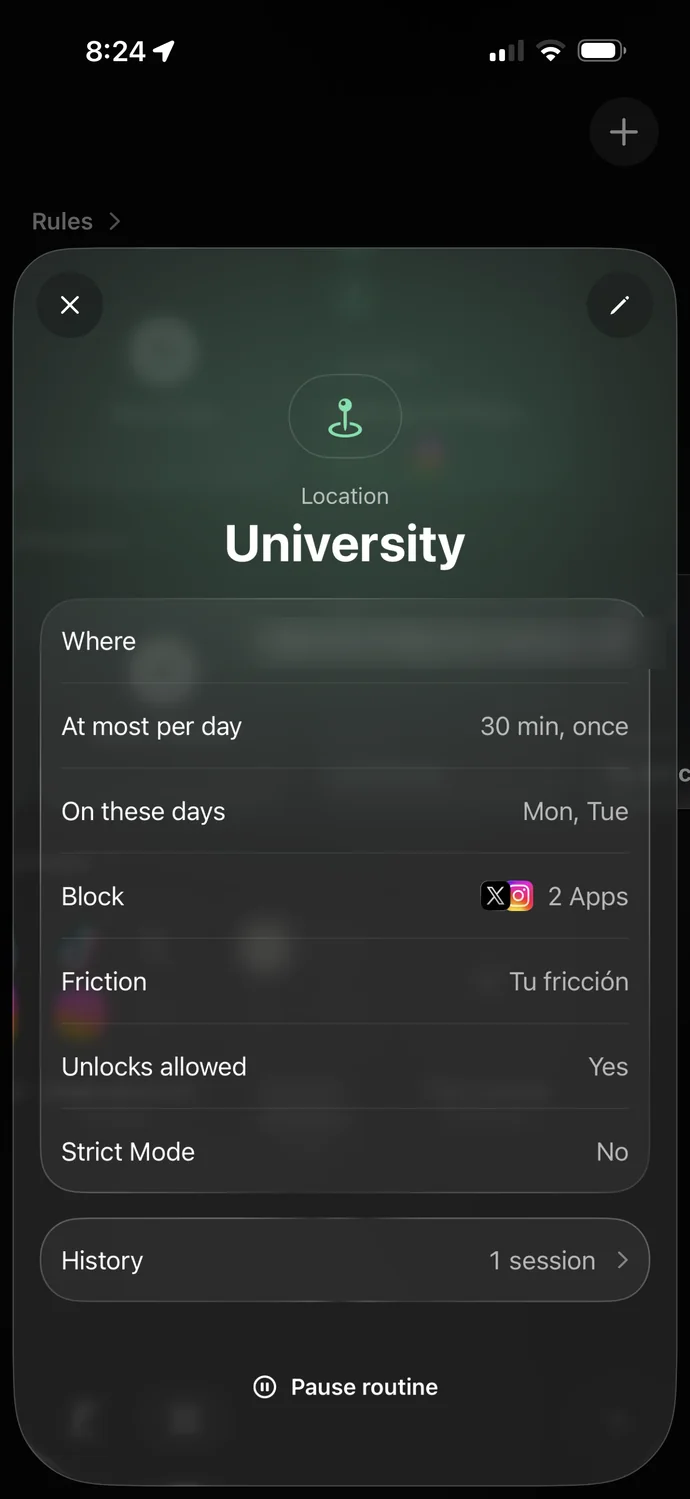
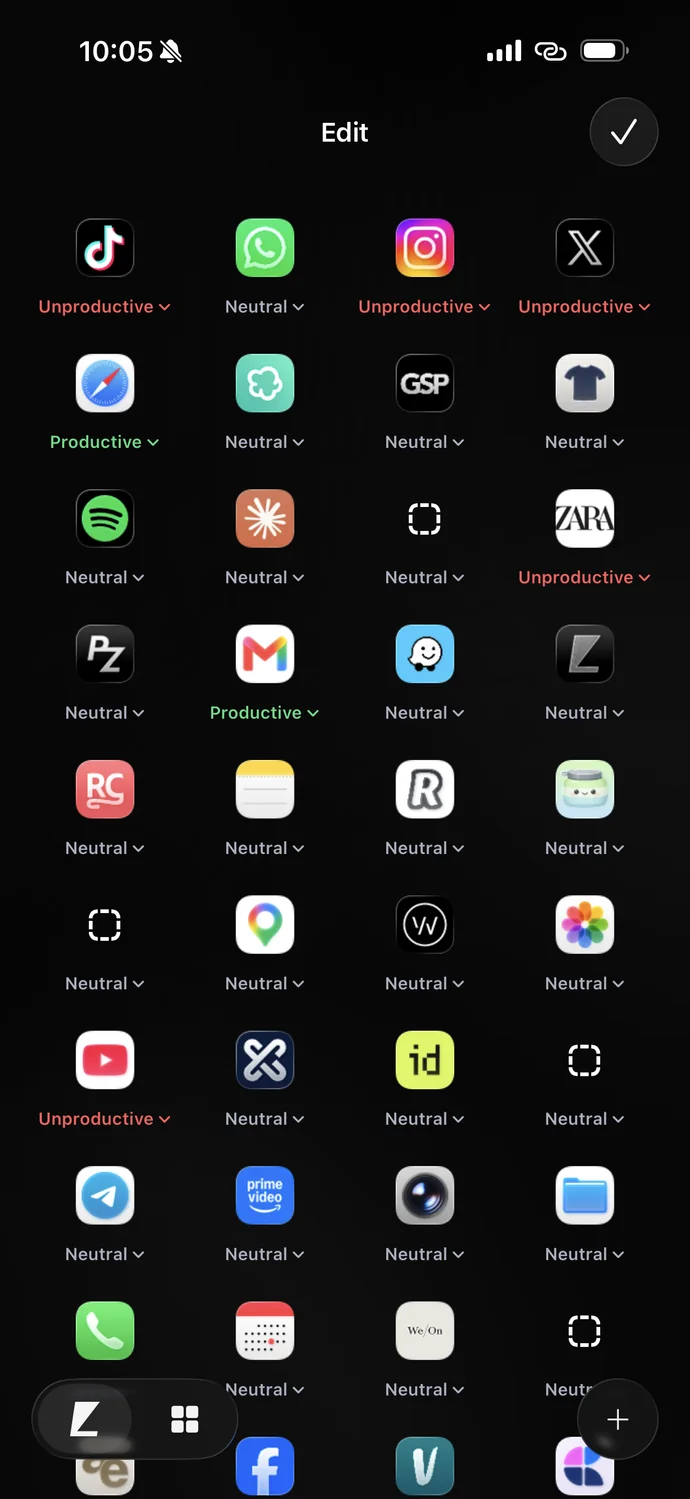
- Add an overnight rule. Tap New Rule, choose your feed apps (TikTok, Instagram, X, Reddit, YouTube) and set a schedule from 22:00 to 07:00. Lockty schedules can cross midnight. When the rule applies, the app opens behind a Lockty screen.
- Cap opens during the day. Add a second rule for the same apps with a limit on how many times a day you can open them. Start with 10 and lower it after a week.
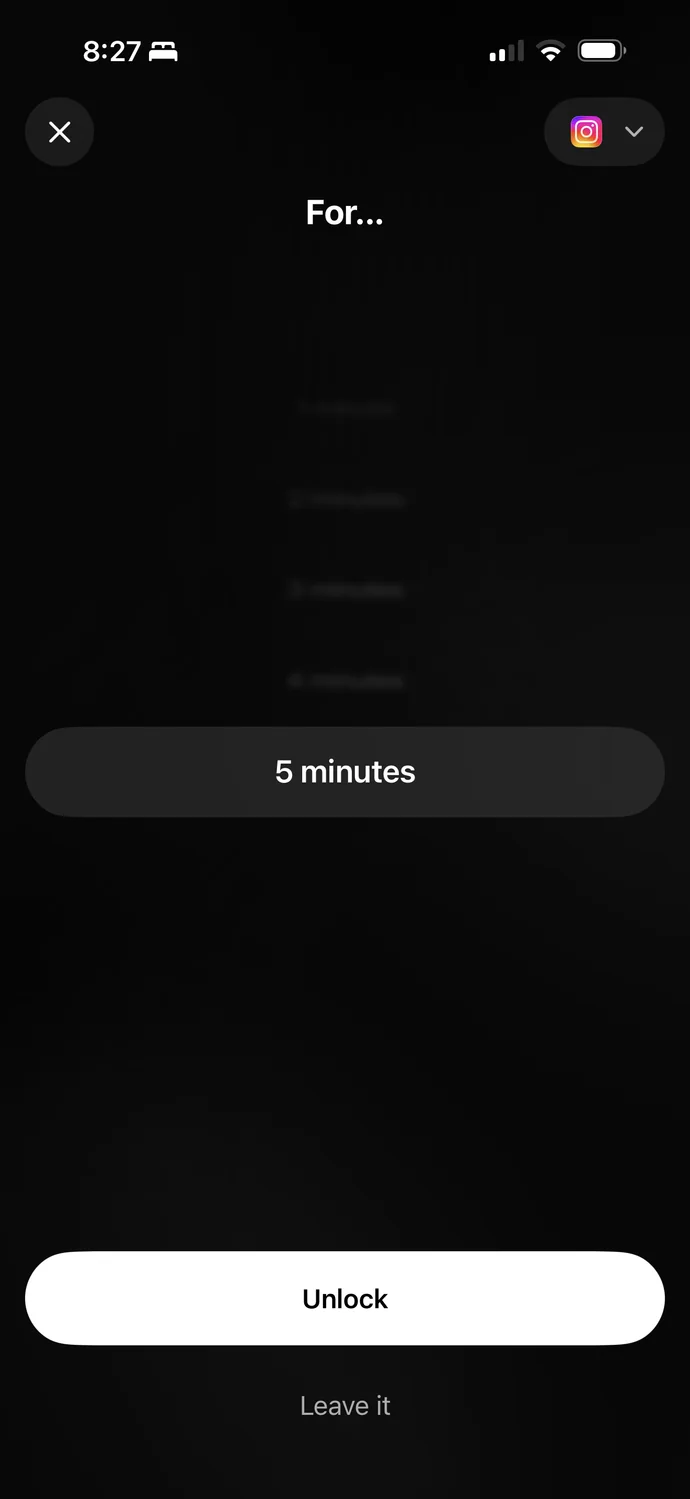
- Allow unlocks, with a gap. In Unlocks allowed, choose something like 2 a day with a minimum gap between them. When you unlock, the friction runs first, you choose how many minutes you get, and a Live Activity shows the countdown.
- Block the news sites too. If your doomscrolling happens in Safari, create a mode on the same night schedule and type the domains you scroll. Turn on Strict mode so the running mode can't be stopped or edited at midnight.
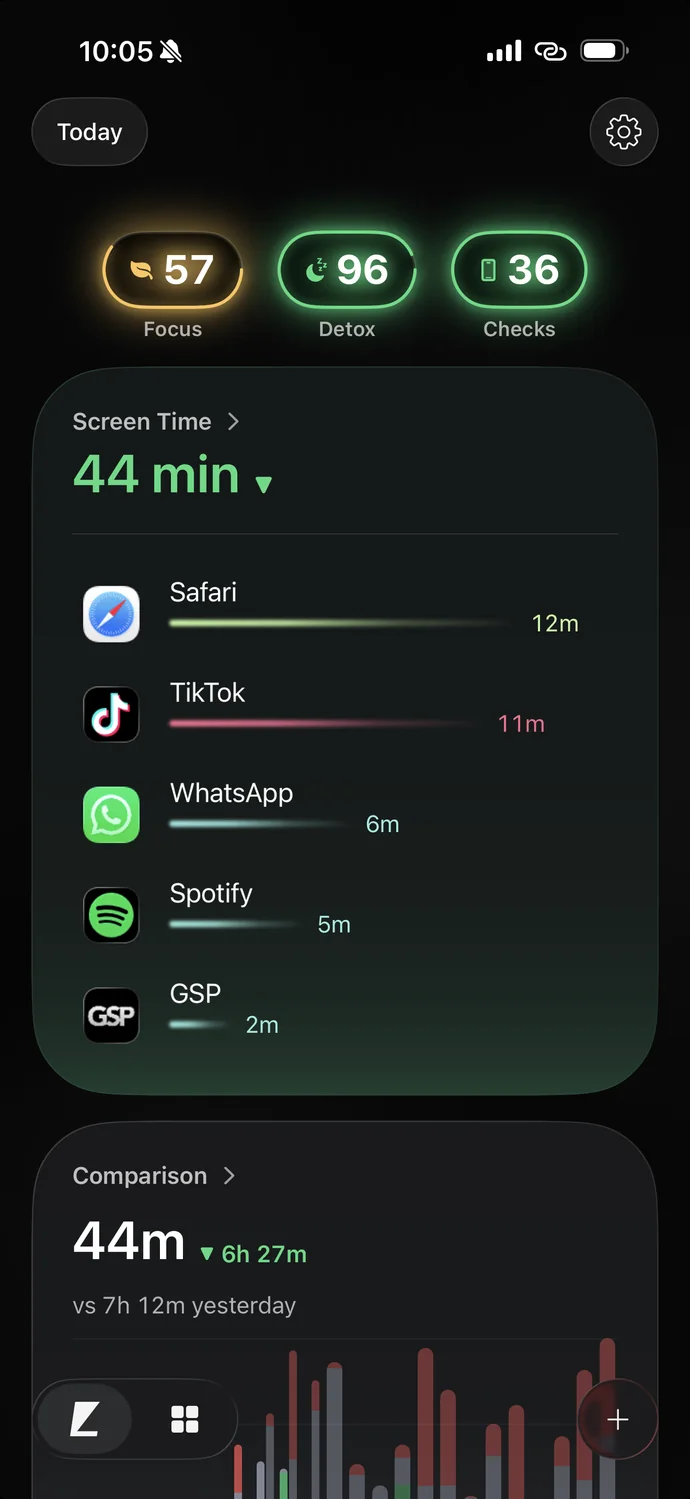
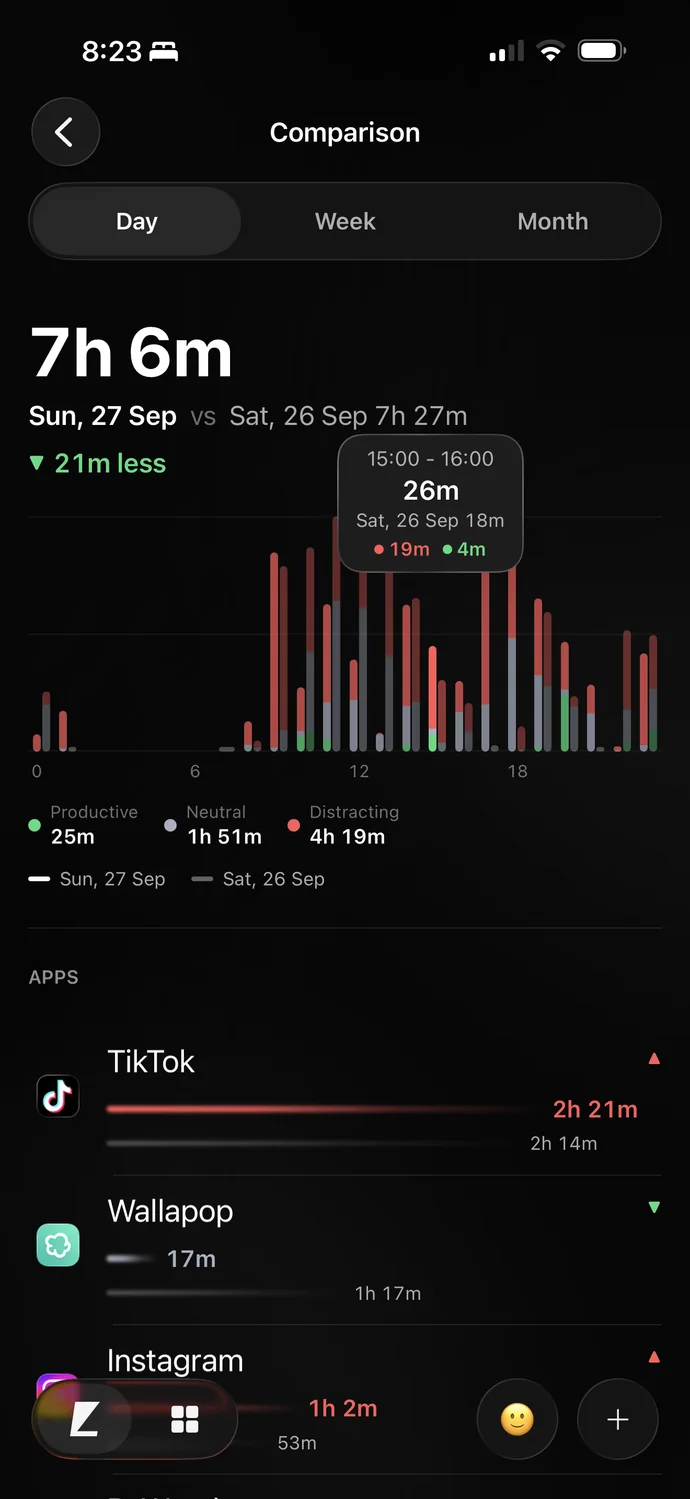
- Check the numbers. The Checks, Focus and Detox scores show today against yesterday, hour by hour. A bit like a fitness tracker, but for your screen time: you see which hour your scrolling lives in.
Once the scroll is under control, you might want a longer break. Our digital detox guide covers how to plan one.
FAQ
How do I stop doomscrolling right now?
Close the app, put the phone in another room for ten minutes and do the replacement you picked. Then turn off feed notifications and set up a pause before the apps you scroll most; in one six-week study, a pause cut app openings by 57%.
What is the best app to stop doomscrolling?
It depends on how you scroll. one sec is good if you open apps on autopilot and a pause is enough. Opal suits people who want strict blocking across iPhone, Android and Mac. Lockty combines a pause, an opens cap and an overnight block on iPhone for $24.99 a year (US price, November 2026).
Are there free apps to stop scrolling?
Apple's Screen Time is free, but limits can be ignored unless you set a passcode and turn on Block at Downtime. one sec's free version covers one app. Lockty, Opal and Brainrot need a subscription for their full features.
How do I stop doomscrolling at night?
Charge the phone outside the bedroom and use a regular alarm clock, as the American Academy of Sleep Medicine suggests. If the phone has to stay with you, block your feed apps on a schedule from about 22:00 to 07:00, set during the day so you can't negotiate with it in bed.
Sources
- Grüning, Riedel & Lorenz-Spreen: Directing smartphone use through the self-nudge app one sec, PNAS, 2023
- Allcott, Gentzkow & Song: Digital Addiction, American Economic Review, 2022
- Lindström et al.: A computational reward learning account of social media engagement, Nature Communications, 2021
- UF study finds doomscrolling is a unique behavior, University of Florida News, 2022
- Why infinite scroll's inventor wants to kill his creation, NPR / The Public's Radio, 2026
- Study: Smartphone Alerts Increase Inattention and Hyperactivity, UVA Today, 2016
- Americans are doomscrolling at bedtime, prioritizing screen time over sleep, American Academy of Sleep Medicine, 2026
- Set schedules with Screen Time on iPhone, Apple Support, iPhone User Guide (iOS 26), 2026
- one sec | screen time + focus, App Store (US), checked November 2026