Brainrot App Review: Price, Features and a Free Alternative
A cartoon brain that rots as you scroll is a clever nudge. Here's what the subscription gets you, and when you need more control than a nudge.
Brainrot (full name "Brainrot: Screen Time Control", by Smolworks) is a solid, friendly app blocker built around one idea: a cartoon brain that decays as you scroll. It blocks apps and websites, runs schedules, has a focus timer and mindful breaks, and holds a 4.5 rating from about 23,000 US reviews. Every feature needs a subscription, and the yearly plan ranges from $19.99 to $59.99 in the US depending on which offer you see, so check the price on your screen before you tap subscribe.
If a playful visual nudge is what gets you off TikTok, Brainrot is a good pick. If you want finer control (open caps, location triggers, harder unlocks, goals that earn your apps back), you will probably want something with more settings.
Brainrot app review: the verdict
| Brainrot | |
|---|---|
| What it is | Screen Time blocker with a "brain avatar" that decays as you doomscroll |
| Blocking | Apps and websites, applied straight away |
| Automation | Recurring schedules (bedtime, mornings, meetings) |
| Extras | Focus/Pomodoro timer, mindful breaks, insights, streak themes |
| Price (US, Nov 2026) | Yearly $19.99, $29.99 or $59.99 depending on the offer; monthly from $3.99 |
| Free version | No. The listing says all features require a subscription |
| Platforms | iPhone (iOS 17.6+); the App Store also lists Mac and Vision Pro |
| Language | English only |
| App Store rating | 4.5 from about 23K US ratings |
| Best for | People who respond to a cute, slightly guilt-inducing visual |
Short version: good concept, well-executed basics, fewer knobs to turn than power users may want, and pricing that depends on which paywall you land on.
What the Brainrot app actually does
Everything below comes from Brainrot's App Store listing and its website, thebrainrotapp.com, checked on 19 November 2026.
The decaying brain
This is the hook. A small brain mascot looks healthy when you stay off your "brainrot apps" and starts to rot as your scrolling adds up. The site shows what "three hours of scrolling" does to it, and as your streak grows you unlock new backgrounds for the brain (City, Room, Space).
It works the way a Tamagotchi works. You don't want to hurt the little guy, so you put the phone down. For some people that emotional tug is more effective than any chart. For others it wears off after a couple of weeks, once the novelty fades and the brain becomes background noise.
Blocking and schedules
Brainrot uses Apple's Screen Time API, like every serious blocker on iPhone. You pick the apps and sites to block, and they close immediately. You can also set recurring blocks for bedtime, mornings or meetings. When you try to open a blocked app, the brain asks "Do you really need this right now?", which the site describes as "a little friction" to help build the habit.
The developer says monitoring and blocking run on your device and that your screen time details stay on your iPhone.
Focus timer, breaks and insights
There's a focus timer for deep work and Pomodoro-style sessions, plus "mindful breaks" meant to let you reset without guilt. Reports show daily screen time, pickups, top categories and a weekly summary.
Brainrot app price in 2026
The App Store lists several in-app purchases for Brainrot, and which one you're offered depends on the paywall, the country and any running discount. Here's what the US listing showed on 19 November 2026:
| Plan | US price |
|---|---|
| Unlimited, 1 week | $4.99 |
| Unlimited, 1 month | $3.99 |
| Monthly | $8.99 |
| Unlimited, 1 year | $19.99 / $29.99 / $59.99 |
| Full Access | $24.99 / $29.99 |
| Unlimited | $49.99 |
In euro stores the yearly plan shows up at €22.99, €34.99 or €69.99, with monthly between €3.99 and €9.99. Prices in Australia and the UK follow Apple's local tiers, so expect different numbers there.
Two things worth knowing before you pay:
- There's no free tier. The App Store page says plainly that all the features it describes require a subscription. The website says you can try it free during a trial and cancel in your iPhone's subscription settings before it ends to avoid a charge.
- The yearly price moves. Some App Store reviewers mention the paywall appearing before they could try the app, and one says a 50% discount on the annual plan appeared when they tried to close it. If you see $59.99, don't assume that's the only price.
Where Brainrot falls short
Brainrot does the basics well, but its listing doesn't mention several controls that people who have already tried and failed with simple blockers tend to need:
- Open caps. Schedules and blocks are covered, but limiting yourself to, say, five Instagram opens a day isn't something the listing describes.
- Location or NFC triggers. The listing describes scheduled blocks. Starting one when you arrive at the office or library isn't mentioned.
- One kind of friction. The "Do you really need this right now?" prompt is a nice touch. Once you've learned to tap past it, the listing doesn't describe harder pauses to switch to.
- Goal-based unlocking. The listing doesn't mention anything that ties your apps to steps walked, sleep or reading done.
- English only. The app is listed in English alone.
None of this makes Brainrot bad. It means the brain does most of the work, and if it stops working on you, there's less to fall back on.
Is there a free Brainrot alternative?
Yes, and it's already on your iPhone: Screen Time, in Settings. It costs nothing and covers a fair amount:
- App limits / Time Allowances. Set a daily budget for a category (Social, Games, Entertainment) or for single apps. On iOS 27 these are called Time Allowances, and a limit on an app also applies to the website that app declares.
- Schedules. Downtime on iOS 26, Screen Time Schedules on iOS 27, so the phone locks down at night or during work hours.
- Always Allowed. Keep calls, Messages or Health available no matter what.
The catch is how easy it is to get around. Apple's own guide says that "by default, Screen Time limits can be ignored once reached." To make a block stick you need to turn on Block at Downtime, and that requires a Screen Time passcode. If you set that passcode yourself, you know it, and the limit lasts exactly as long as your willpower. Screen Time also has no pause before opening an app, no unlock rules and no streaks or scores to keep you engaged.
So the honest answer to "brainrot app free alternative": Screen Time is the free option, and it's genuinely enough for some people. If you've already tried it and found yourself ignoring the limit every evening, a paid blocker is what fixes that, whether it's Brainrot or something else.
When Lockty is the better choice
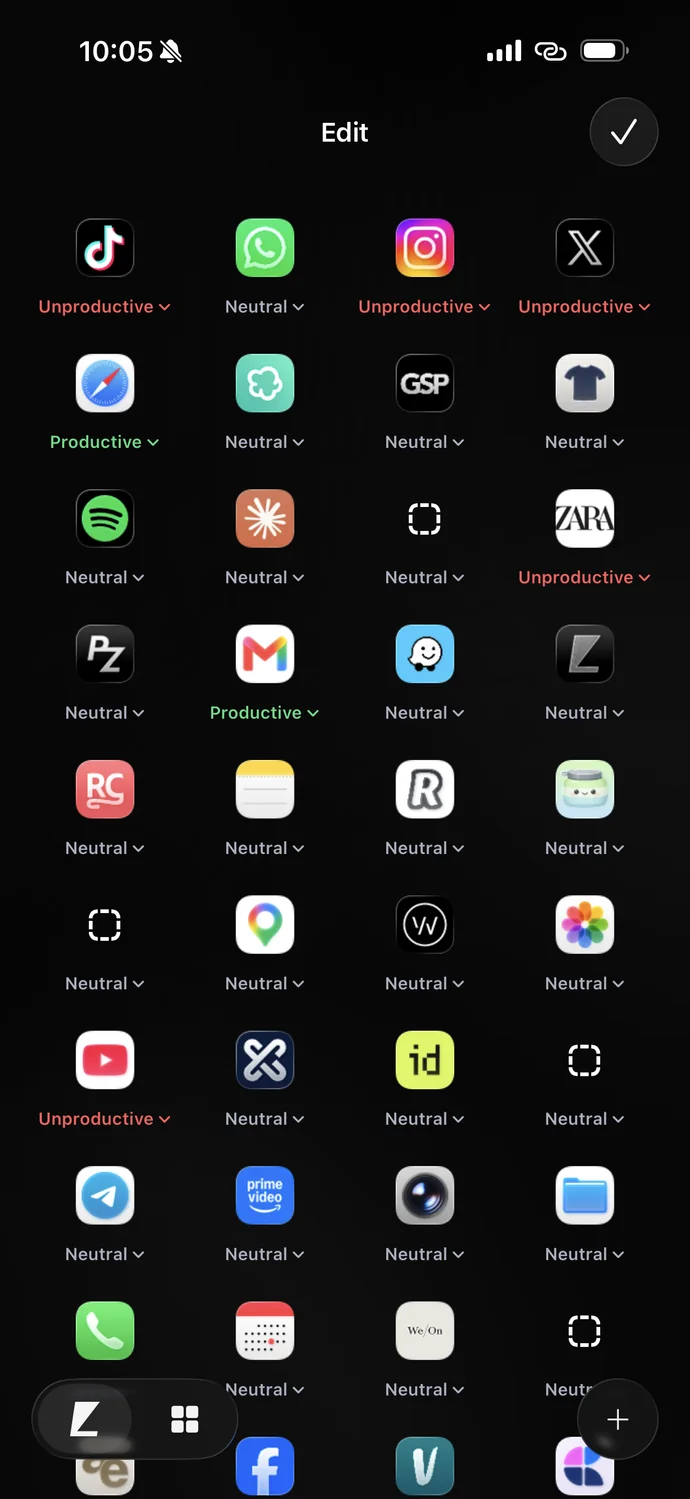
Lockty is our app, so weigh this section accordingly. It's built for people who want more control over how apps lock and unlock. It uses the same Screen Time API, keeps usage data on your iPhone, and doesn't ask you to create an account.
What it adds compared with Brainrot's listing:
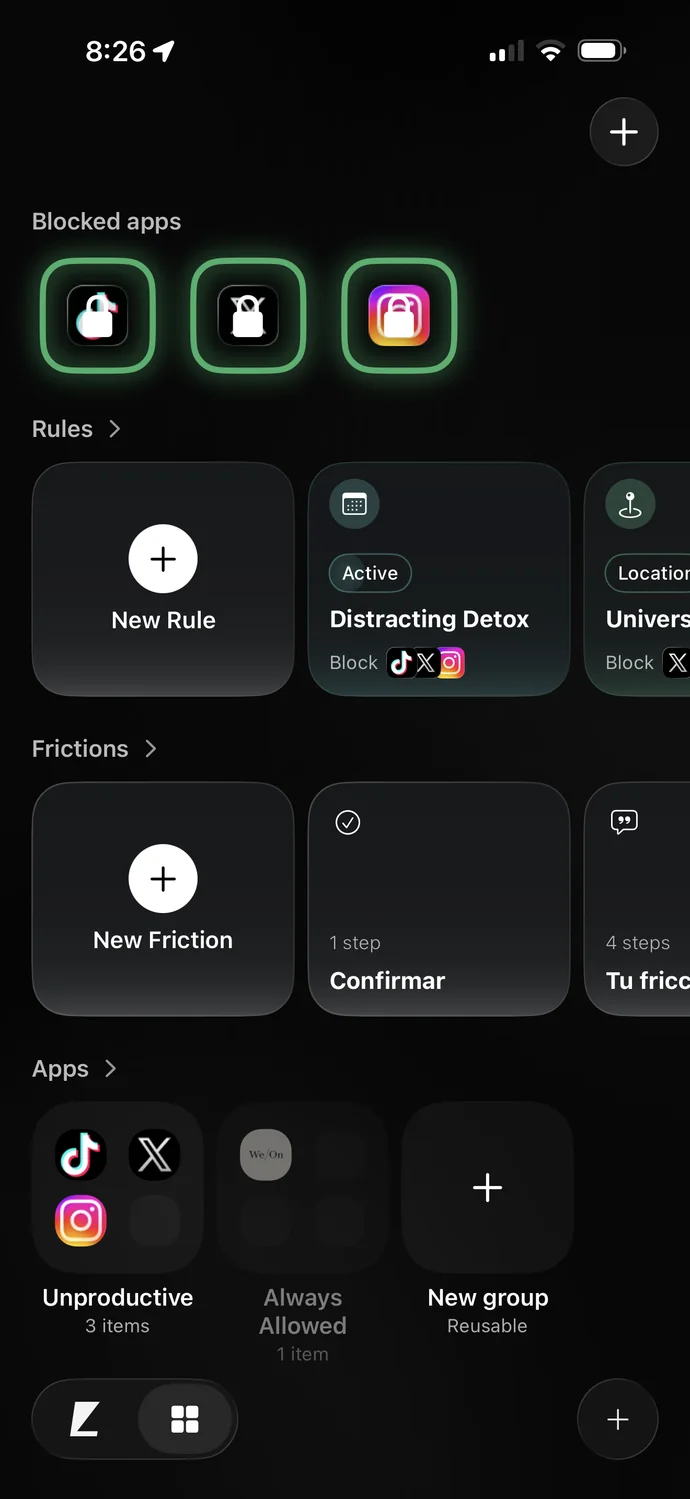
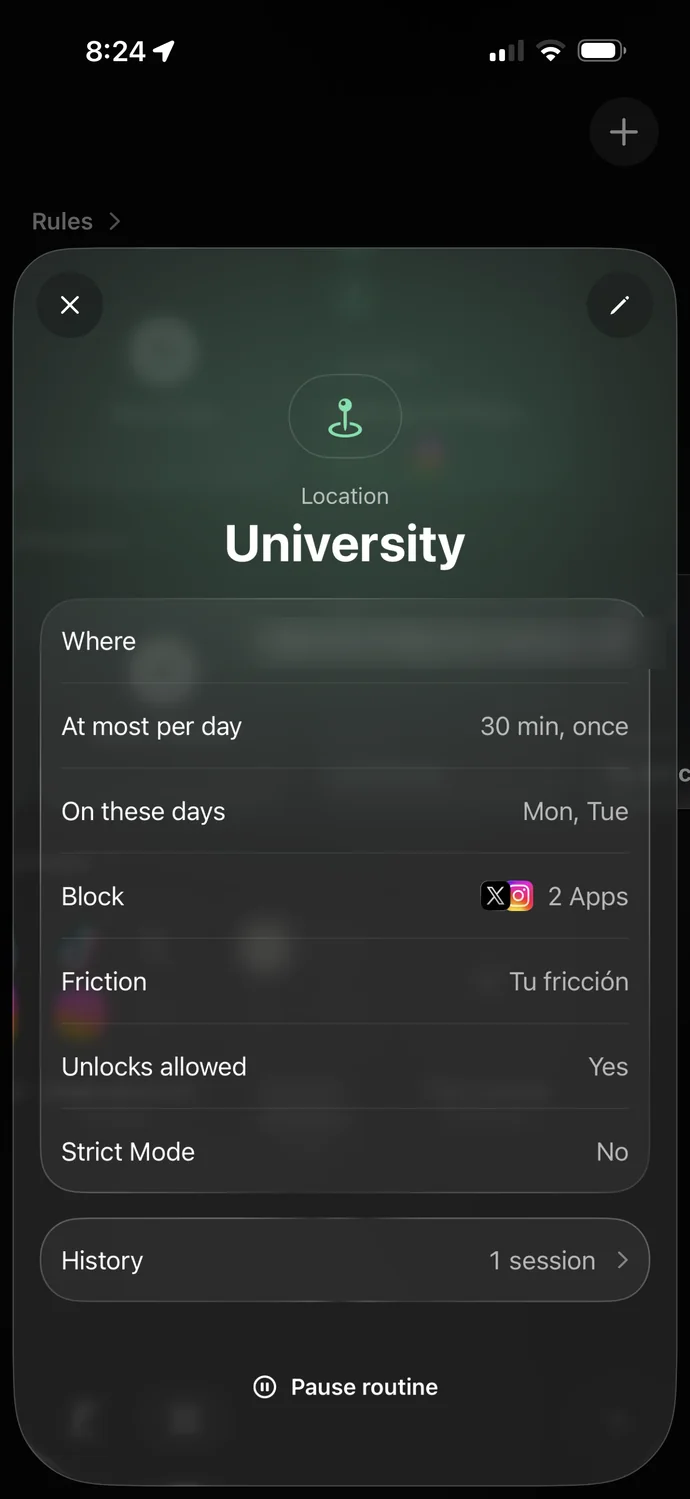
- Rules. A daily time limit, a cap on how many times a day you open an app, short sessions, a schedule (including overnight, across midnight) or a location. When a rule applies, the app opens behind a Lockty screen.
- Modes. Routines that start on a schedule, when you arrive at a place, or when you tap an NFC tag. Strict mode stops a running mode from being stopped or edited, which is the thing Screen Time can't do when you know the passcode.
- Many kinds of friction. Breathing from 5 seconds to 3 minutes, writing what you're opening the app for, copying a phrase, small challenges like Sort the Numbers or Word Search, or reading your own past answers back.
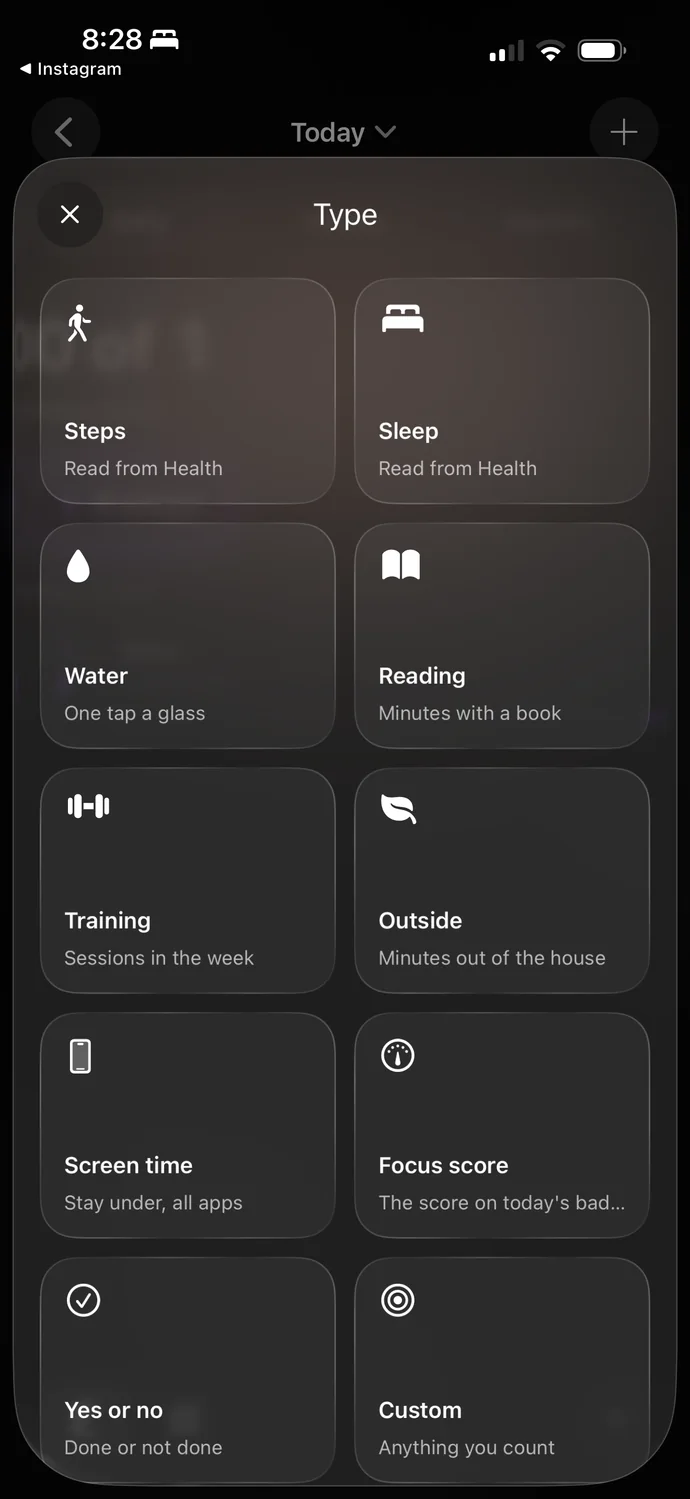
- Goals that unlock apps. Set Objectives such as steps or sleep (read from Apple Health), water, reading or training, and apps only open once the goals are met.
- Websites and adult content. Block the domains you type into a mode, and turn on the Adult content restriction to filter adult sites while the mode runs.
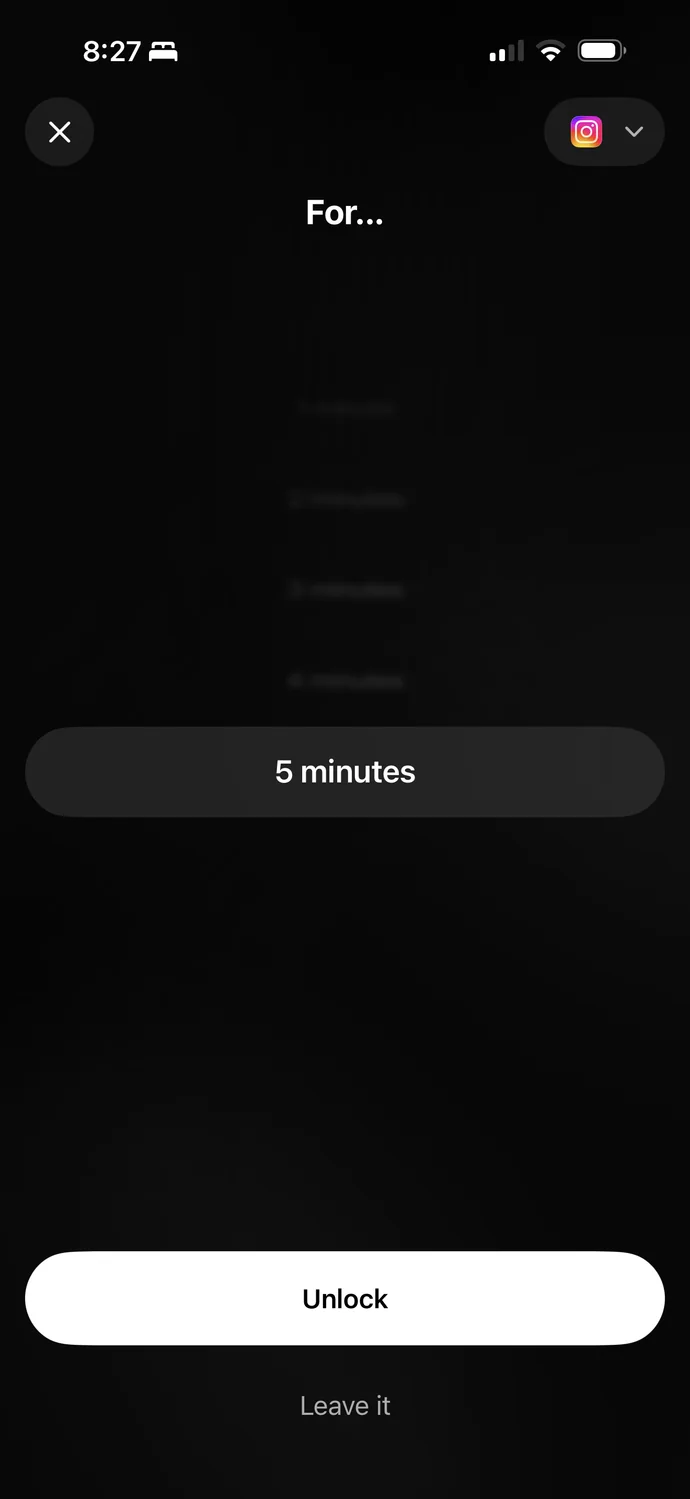
- Unlock control. Allow no unlocks, or a set number per day with a minimum gap between them, and pick how many minutes each one lasts.
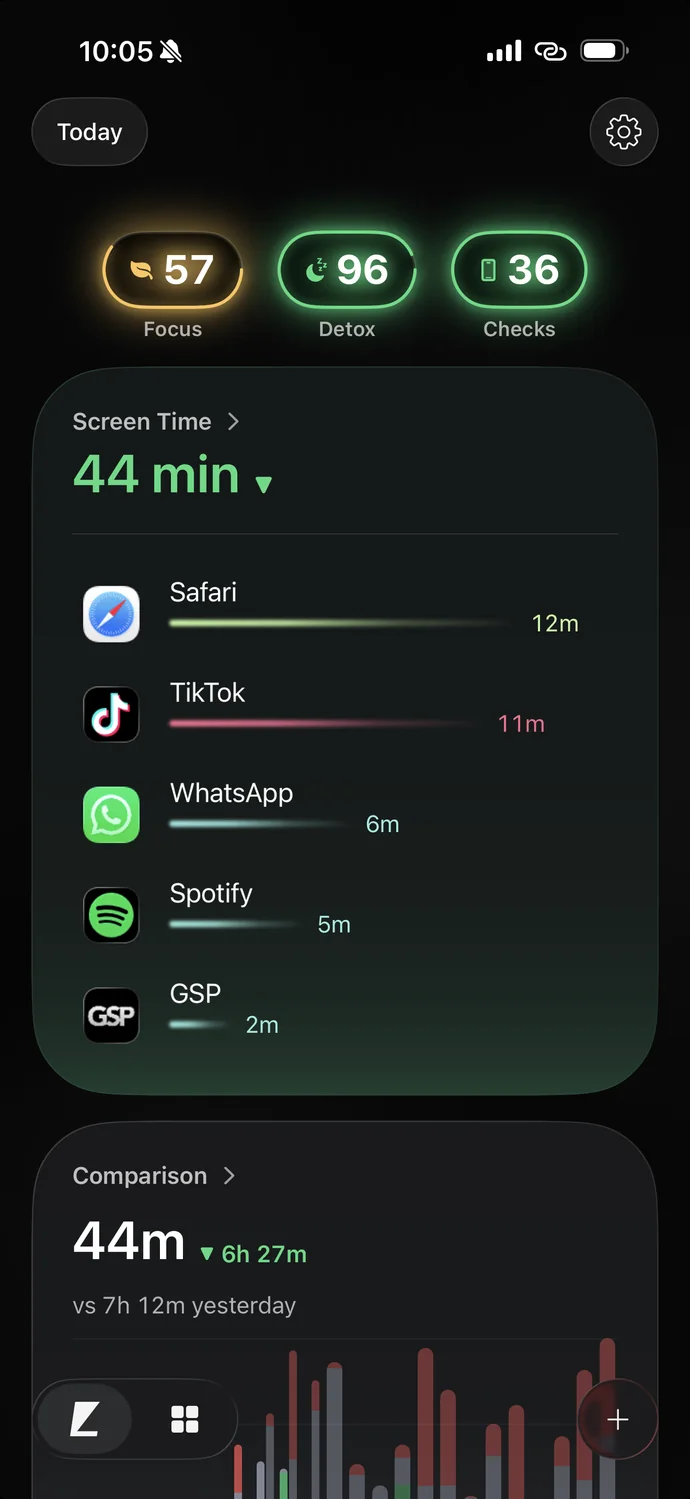
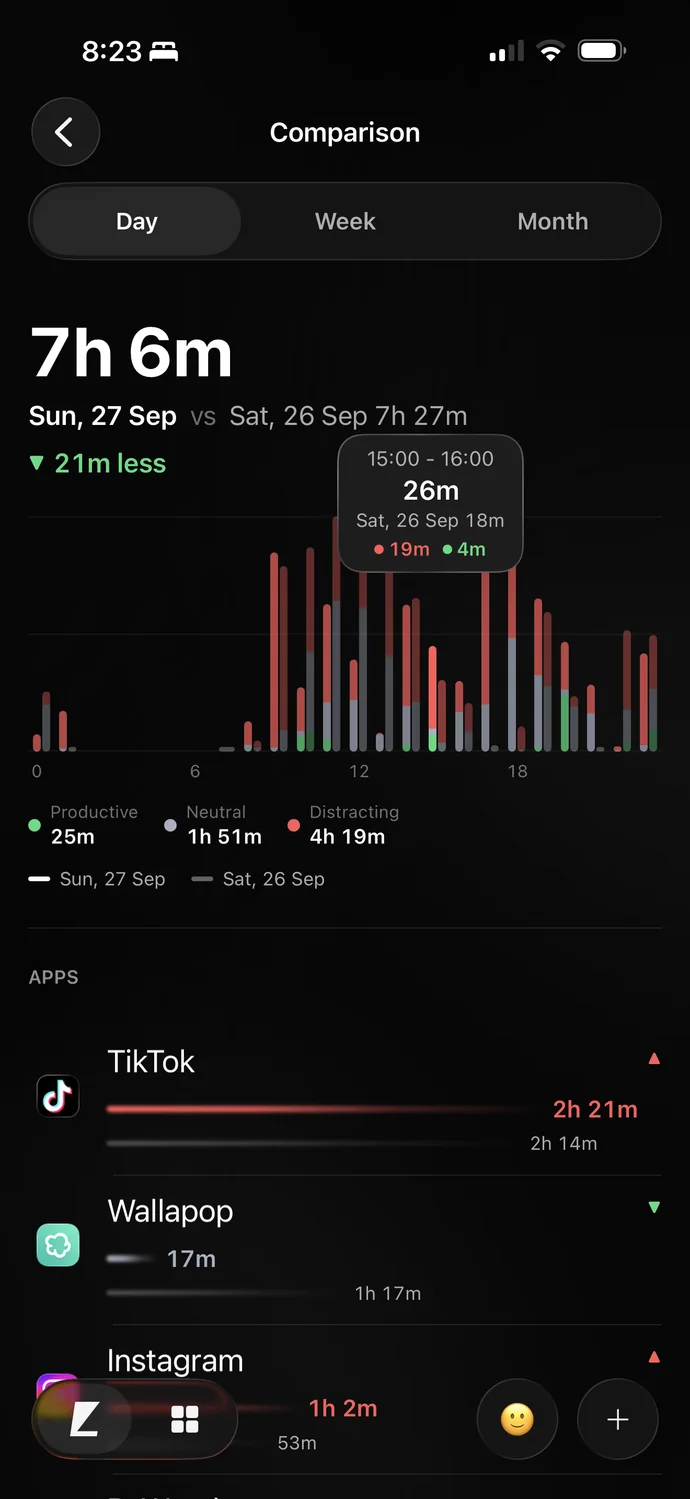
It also gives you daily Focus, Detox and Checks scores, a bit like a fitness tracker, but for your screen time. Lockty runs on iOS 18 and later, and the app is in English and Spanish. If you want to see how rules, modes and frictions fit together, the how it works section walks through it.
Brainrot vs Lockty side by side
| Brainrot | Lockty | |
|---|---|---|
| Block apps and websites | Yes | Yes |
| Schedules | Yes | Yes, including overnight |
| Limit opens per day | Not mentioned | Yes |
| Location / NFC triggers | Not mentioned | Yes |
| Can't-stop mode | Not mentioned | Strict mode |
| Pause before unlocking | "Do you really need this?" prompt | Breathing, writing, challenges, your own words |
| Goals that unlock apps | Not mentioned | Steps, sleep, reading and more |
| Adult content filter | Not mentioned | Yes, while a mode runs |
| Focus timer / Pomodoro | Yes | No dedicated timer |
| Visual mascot | Yes, the brain | No; daily scores instead |
| Yearly price (US) | $19.99 to $59.99 | $24.99 |
| Yearly price (EUR) | €22.99 to €69.99 | €22.99 |
On price, the comparison depends on which Brainrot offer you get. In euro stores Lockty Unlimited costs the same as Brainrot's cheapest yearly plan (€22.99) and less than its other two. In the US, Lockty is $5 more than Brainrot's $19.99 offer and cheaper than the $29.99 and $59.99 ones. Lockty's monthly plan is $9.99 (€8.99). Both apps are priced per App Store region, so check yours.
Brainrot still wins for a specific person: someone who likes the Pomodoro timer and genuinely cares about keeping the little brain alive. If that's you, the cheap yearly offer is a fair deal. If you've outgrown simple blocks, download Lockty and set up one rule for your worst app first.
If you're comparing more than two apps, our Opal app review covers the priciest option in this category, and the guide on how to stop doomscrolling covers the habits side, whichever blocker you use.
FAQ
How much does the Brainrot app cost?
On the US App Store on 19 November 2026, the yearly plan was listed at $19.99, $29.99 or $59.99 depending on the offer, with monthly options from $3.99 and a weekly plan at $4.99. In euro stores the yearly plan runs €22.99 to €69.99. There is a free trial, but no free tier.
Is the Brainrot app free?
It's free to download, but every feature needs a subscription after the trial. The free alternative is Apple's Screen Time, whose limits can be ignored by default unless you block apps during Downtime with a passcode.
What do people on Reddit say about the Brainrot app?
When we looked in November 2026 we couldn't find much Reddit discussion of this specific app; most public feedback is in App Store reviews. Those reviews are mostly positive (4.5 average), and the recurring complaint is the paywall appearing before you can try it, with a cheaper annual offer showing up when you try to close it. Also note that several App Store apps use "brainrot" in their name. The one reviewed here is "Brainrot: Screen Time Control" by Smolworks.
Does Brainrot work on Android?
No. Its website says there's no Android version yet. On Apple devices it needs iOS 17.6 or later, and the App Store also lists Mac (M1 or newer) and Vision Pro.
What's a good Brainrot alternative with more control?
If you want open caps, location or NFC triggers, a strict mode and apps that unlock after goals like steps or sleep, Lockty covers those for $24.99 (€22.99) a year.
Sources
- Apple App Store, "Brainrot: Screen Time Control" listing by Smolworks Inc (description, ratings, in-app purchase prices), accessed November 2026: https://apps.apple.com/us/app/id6744338972
- Smolworks, Brainrot official website (features, free trial, platforms, privacy), 2026: https://thebrainrotapp.com
- Apple Support, "Set schedules with Screen Time on iPhone" (iOS 26 guide: ignoring limits, Block at Downtime, passcode), 2025: https://support.apple.com/guide/iphone/set-schedules-with-screen-time-iphb0c7313c9/26/ios/26
- Apple Support, "Set Screen Time Schedules and Time Allowances in Screen Time on iPhone" (iOS 27 guide: Time Allowances, Always Allowed, website allowances), 2026: https://support.apple.com/guide/iphone/set-schedules-with-screen-time-iphb0c7313c9/ios